Are you facing Dropping Open Rates After Bulk Scraping? It is a stressful problem for any marketer. When you send emails to lists you did not earn, email providers quickly block your messages.
They see you as a source of spam, which ruins your domain health. You might wonder if your hard work is gone for good. But do not panic. You can still save your sender reputation. It just takes the right deliverability strategy and patience.
By cleaning your data and fixing your authentication, you can stop the damage. So, let’s look at how to get your emails back to the inbox and keep your outreach successful in 2026.
The Reality Check: Why Bulk Scraping Often Triggers Engagement Death
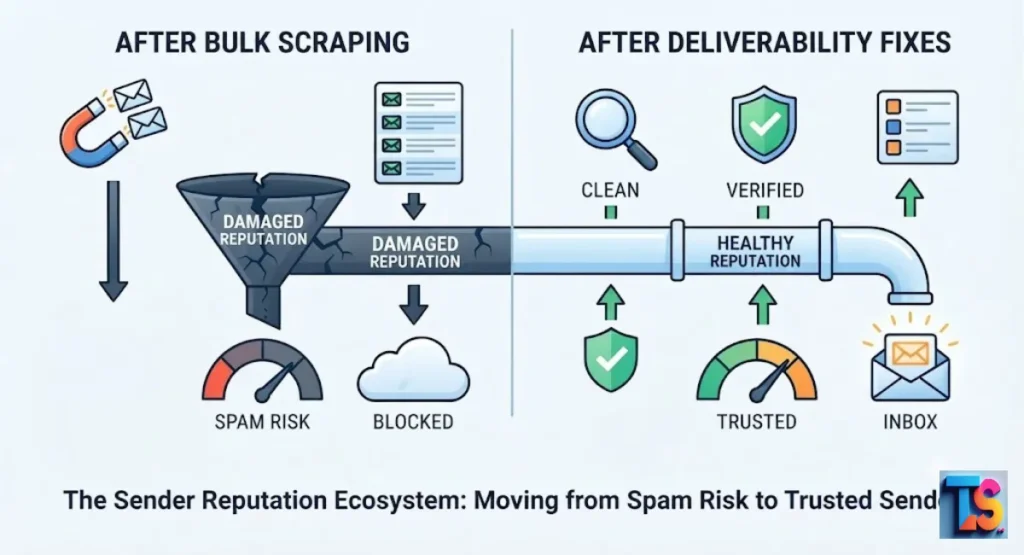
Mass-scraping data triggers an immediate drop in open rates because unsolicited emails often lead to spam complaints. When recipients mark your emails as unwanted, inbox providers view your domain as a source of spam.
This negative feedback loop forces your future messages into hidden folders or blocks them entirely to keep users safe.
Sending emails to people who never signed up for your list makes inbox providers suspicious. In 2026, these systems are smarter at spotting mass-blast behavior.
If you notice your open rates dying, it is likely because your domain reputation has suffered from too many bounces and spam reports. You must pivot quickly to restore trust.
Phase 1: Immediate Damage Control (Stop the Bleeding)
Halt All High-Volume Blasts Immediately
You must pause all active email campaigns the moment you notice a sudden drop in your daily delivery or engagement. Continuing to send messages to a poor-quality list signals directly to email providers that you are an automated spammer.
Stopping immediately allows your domain a necessary window to heal and completely stops the cycle of dangerous spam reports.
When you stop, you protect your infrastructure from further blacklisting. During this time, investigate your account just as you would when learning how to check if Outlook email has been hacked to ensure no bad actors hijacked your setup.
Pausing gives you the necessary window to evaluate your list quality before you risk sending another message.
Check Your Authentication: SPF, DKIM, and DMARC Status
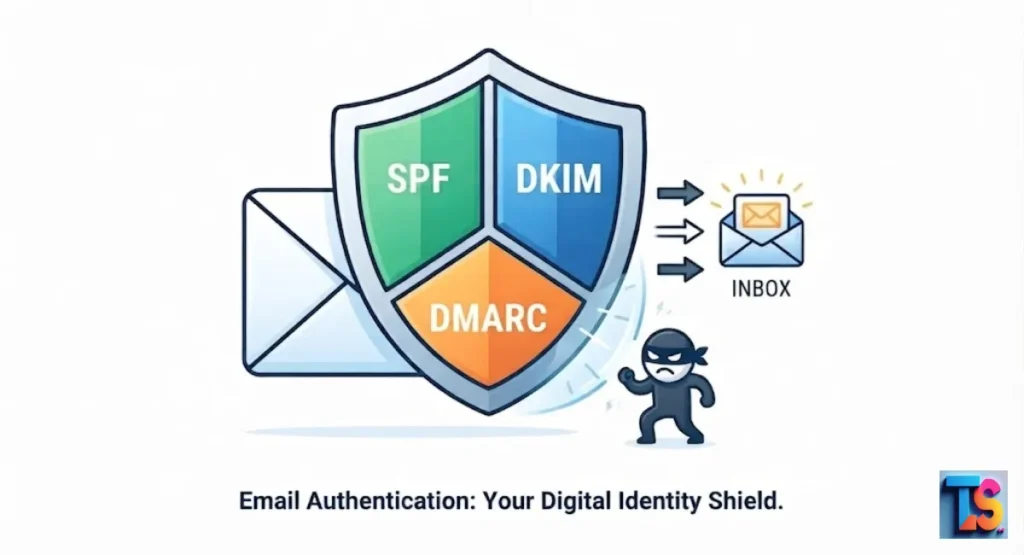
Proper authentication acts as your official digital identity card when transmitting professional messages across global networks. You must correctly configure your SPF records, update your active DKIM signatures, and implement a strict DMARC policy.
This alignment proves to internet providers that your messages are legitimate, safe, and completely authorized by your business.
| Record Type | Exact Purpose | Action Needed |
| SPF | Lists allowed IP addresses to send mail for your domain. | Verify your TXT record includes all current sending tools. |
| DKIM | Adds a digital key to emails to prove they are authentic. | Generate a 2048-bit key within your workspace console. |
| DMARC | Tells the receiver what to do if SPF or DKIM checks fail. | Start with a p=none policy and move toward a p=reject state. |
Correct authentication is the foundation of professional Cold Outreach & Deliverability. Without these records, internet providers treat your domain as an unverified and untrusted source.
By setting up these protocols, you inform providers that you are the legitimate owner of your sending domain, which helps your messages consistently bypass spam filters and reach the inbox.
Analyze Your Bounce Rates for Spam Trap Hits
High bounce rates indicate that your contact list contains invalid or dangerous addresses. A hard bounce happens when an email address is permanently dead.
If you hit spam traps (fake email addresses used by providers to catch spammers), your sender score drops instantly. Removing these bad contacts is vital to protect your ability to reach real people.
In 2026, industry standards require keeping your bounce rate strictly below 0.3 percent to avoid auto-blocking by major providers. Check your logs daily to catch these issues before they scale.
If your bounce rate exceeds this threshold, you must purge your list immediately to avoid a permanent loss of access to the primary inbox.
Phase 2: Technical Diagnostics: What the Inbox Providers Are Seeing
IP and Domain Reputation: The Silent Open-Rate Killer
Your reputation acts like a credit score for all email activity. It tracks how often your messages get opened versus how often they get ignored or deleted.
In 2026, this score is tied to your domain and your IP address (the unique number identifying your internet connection). A low score prevents delivery to the primary inbox.
If your domain reputation falls, providers automatically move your messages to the spam folder. They do this to protect their users from potential threats. You must rebuild this trust by only sending to verified, active leads.
Over time, consistent positive engagement from recipients will slowly raise your reputation score back to a healthy, deliverable level.
Identifying Greylisting vs. Permanent Hard Bounces
You must understand why your emails fail to deliver to fix your standing. Greylisting is a temporary delay where a server asks you to retry to prove you are not a bot.
A hard bounce is a permanent failure because the address is dead. You should remove any address that results in a hard bounce immediately.
| Metric | Meaning | Action Needed |
| Greylisting | Temporary server delay. | Wait and retry automatically using your platform configurations. |
| Hard Bounce | Invalid or dead address. | Remove from list permanently to protect your metrics. |
| Spam Complaint | User marked it as junk. | Remove and stop all contact with this user immediately. |
Tracking these bounce types is essential for maintaining your Cold Outreach & Deliverability status. When you identify and remove hard bounces, you show providers that you are actively managing your list quality.
This technical diligence prevents your domain from being flagged as a spammer, which is critical for long-term health and consistent inbox placement across all providers.
Why Your Emails Are Defaulting to the Promotions or Spam Tab
Providers use filters to guess if an email is a personal note or a marketing blast. If your emails look like bulk content, they end up in the Promotions tab. If they look suspicious, they head to Spam.
You should learn how to Write Low-Spam-Score Cold Emails to ensure your communication feels personal and valuable to recipients.
Avoid using too many links or aggressive sales language in your text. When you write low-spam-score cold emails, you focus on providing value rather than selling a product.
This shift helps your messages bypass the automated filters that identify mass-marketing, ensuring your emails reach the primary inbox where they have a better chance of being read.
Phase 3: Scrubbing and Re-Structuring Your Scraped List
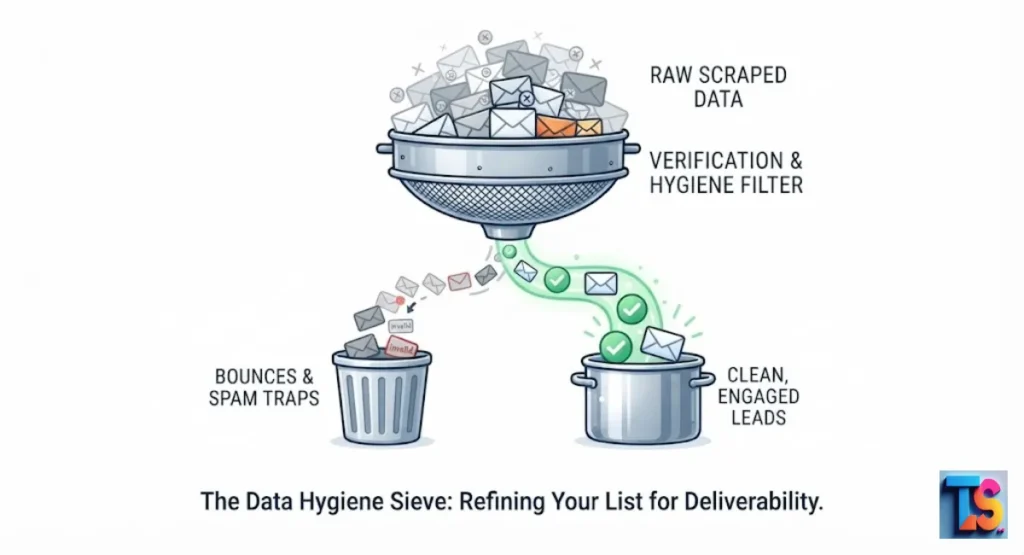
The Verified-First Rule: Why You Must Re-Validate Old Leads
Never send to an unverified list because outdated data is full of risks. Use a verification service to check each address for errors before you hit send. This keeps your bounce rate low and shows providers that you care about list quality.
Always verify your contacts to ensure your own account security and deliverability health.
Verification is the fastest way to improve your sender reputation. Even if you believe your list is clean, old data degrades quickly. By confirming that each address is still active, you avoid hitting spam traps or dead accounts.
This simple step serves as your first line of defense against the automated filters that flag mass-scraped datasets.
Segmenting by Intent: Distinguishing Scraped Data from Opt-In Traffic
Keep your scraped leads in a separate list from people who signed up for your emails. Scraped data is always riskier and more likely to trigger spam filters.
By keeping them separate, you protect your main list from the negative effects of a low-quality scraped campaign. This separation is essential for maintaining consistent delivery for your primary contacts.
Treating your data by source helps you control your risks. If you send to a cold list, do not mix those recipients with your loyal, opted-in subscribers.
This practice ensures that even if your scraped outreach faces trouble, your high-value relationships remain untouched. Use separate domains or subdomains to further isolate your cold outreach from your primary business communications.
Removing Inactive and High-Risk Addresses to Protect Sender Score
You must completely delete any scraped or cold contact who has failed to open your electronic communications within the last 90 days.
Sending messages to permanently inactive users is a wasteful practice that heavily invites spam flags from modern filters. A smaller list built with highly engaged people will always yield superior long-term results.
In 2026, inbox providers monitor how often your emails stay unopened in user accounts. If you have a large list with low engagement, providers assume your content is not valuable.
By removing inactive users, you increase your percentage of active readers. This improvement in your engagement signal helps you land in the primary inbox more consistently over time.
Phase 4: Strategy Pivot: From Bulk Spray to Targeted Outreach
Warming Up Your Domain (The Proper 2026 Way)
To achieve full recovery, you must learn to practice and maintain Safe Daily Cold Email Limits Per Workspace to keep your system safe.
Begin your outbound campaign by transmitting only twenty to fifty messages each day to users who are highly likely to respond positively. This careful approach slowly convinces providers that your domain is authentic.
Exceeding safe daily cold email limits per workspace is a common mistake that leads to instant blocking. By keeping your volume low at the start, you demonstrate good behavior.
This process of warming your domain allows you to build a positive history. As your open rates climb, you can incrementally increase your volume without triggering the spam filters.
Crafting Content That Avoids Spam Trigger Keywords
Do not use words that sound like a scam, such as free money or urgent act now. These words trigger automated filters. Instead, write clear and simple emails that focus on how you can help the reader.
Keep your text natural and honest so that the recipient feels like they are reading a real letter from a person.
When you Write Low-Spam-Score Cold Emails, you focus on clarity and value. Use conversational language instead of aggressive sales pitches. If the recipient feels you are speaking directly to their needs, they are much more likely to open the message.
This human-focused approach makes your outreach look like a legitimate conversation rather than a mass-marketed blast that belongs in spam.
Why Personalization Is Your Best Defense Against Spam Filters
Personalization is the best way to prove you are not a bot. Mention a specific detail about the person or their work to show you did your research.
When an email looks like it was written just for the reader, they are much more likely to open it. This behavior signals to email providers that your messages are legitimate.
Research shows that generic templates get ignored or reported. When you include specific information, you establish trust with the reader and the provider.
This detail turns a cold email into a relevant message. Because the recipient interacts with the content, the inbox provider rewards your domain with higher placement, ensuring that your future outreach avoids the clutter of the spam folder.
Beyond Open Rates: Metrics That Actually Predict Deliverability
Conversion and Click-Through Rate (CTR) as Quality Signals
Inbox monitoring algorithms study consumer behavior signals deeply to determine if your sending server belongs in the primary workspace folder.
They actively record how many recipients click on embedded text assets inside your messages. Generating high interactions tells the system that your business communication provides excellent real-world utility to their subscribers.
When your content drives deep reader interaction, it registers as a positive quality score inside major receiving networks. If your outbound campaigns consistently prompt recipients to click your resources, you confirm that your company sends requested information.
This ongoing behavioral validation remains one of the most effective strategies for protecting your server standing.
Revenue Per Recipient (RPR): Measuring Impact Over Volume
Stop measuring success by the number of emails you send. Instead, look at the value you provide per person. If you focus on high-quality, targeted outreach, you will see better results and fewer spam complaints.
A sustainable business model relies on reaching the right people with the right message, which naturally keeps your domain reputation safe.
Quality outreach allows you to scale your business without needing to spam thousands of uninterested contacts. By focusing on the revenue you generate from each recipient, you change your approach to email marketing.
This method reduces your list size but increases your success rate. In 2026, this is the standard for long-term, successful, and sustainable growth in email outreach.
The 2026 Deliverability Maintenance Checklist
- Validate every email address before you send a message.
- Check your domain reputation status once every week.
- Write simple emails with few images and only one clear link.
- Keep your DMARC policy set to reject or quarantine to prevent others from using your domain.
- Ensure your text-to-image ratio stays at 80 percent text and 20 percent images.
- Remove subscribers who stop opening your emails for three months.
FAQs
Is it possible to recover a domain’s reputation after a bulk scraping blunder?
Yes, you can recover by stopping all bulk activity and focusing on clean, personal outreach. Consistent, low-volume sending over a few weeks will help you earn back the trust of email providers.
How long should I wait before sending to a cold, scraped list again?
Wait at least 30 days while you practice safe sending habits. Only return to cold outreach once your main domain is healthy and your authentication records are perfect.
Do I need a separate subdomain for scraping-based outreach?
Yes, using a separate subdomain is a smart move because it isolates your primary domain from risks. This creates a firewall that keeps your core business communication safe and working properly.
Why are my open rates low even though my emails are landing in the primary inbox?
If your emails land in the inbox but get ignored, your content or subject line lacks clear value. Focus on writing messages that solve a specific problem to grab the reader’s attention.
The Bottom Line
The recovery from low open rates is possible if you change how you handle your email list. By moving away from bulk scraping and toward targeted, personal communication, you protect your domain for the long term.
Focus on quality, maintain your technical security, and always treat your recipients with respect to build a sustainable business foundation. This approach is the most reliable path to consistent Fix Dropping Open Rates After Bulk Scraping and long-term email marketing success.