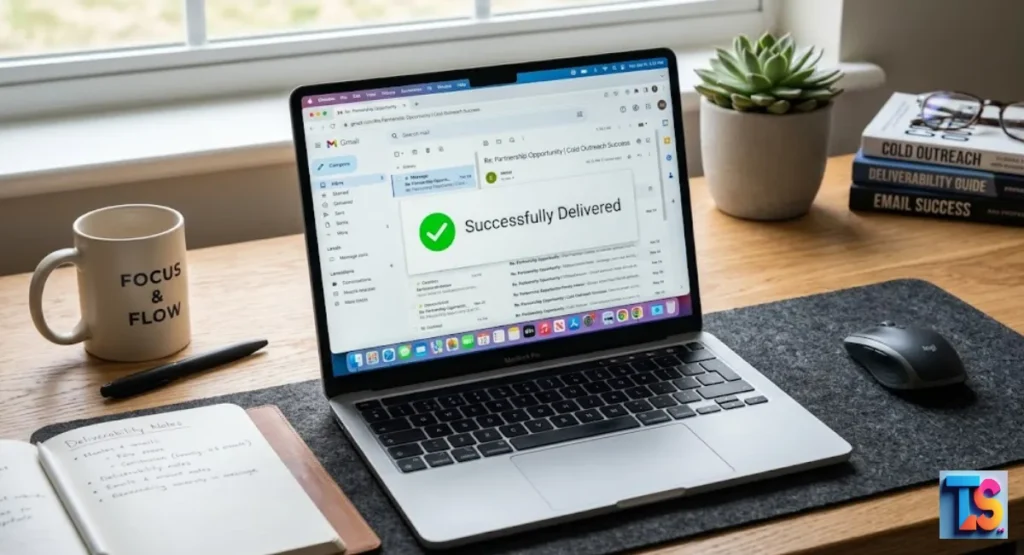
Mastering Cold Outreach & Deliverability is the most important step for any business that wants to grow. If your emails end up in the junk folder, your hard work goes to waste.
To succeed, you need to understand how mailbox providers check your sender reputation and why they flag some messages as spam.
By following strict email authentication rules and keeping your contact lists clean, you make sure your message hits the primary inbox every single time.
Good results start with trust. And trust takes time to build. Focus on these simple, smart steps to stay out of the spam folder and reach your customers right where they look every day.
What Is Cold Email Deliverability?
Cold email deliverability is simply how often your emails land in the main inbox instead of the junk folder. It depends on your domain health, tech setups, and how people interact with your mail.
Getting this right is key. It helps your messages reach real people, builds trust, and helps your business grow.
Deliverability isn’t just one button you flip. It is the total result of how big providers like Google see your digital identity. When you send mail, these systems look at your IP, your history, and how people react to your words.
If your setup is messy or your sending looks like junk mail, systems will block you. They stop your email before a person ever sees it.
Sending Reputation and IP Warm-up
Sending reputation is the score providers give your IP and domain. You build this score by warming up your account. Start slow. Send just a few emails a day and increase the count over several weeks.
Don’t jump to big numbers fast. Real, new accounts don’t send hundreds of emails on day one. Doing that triggers alarms.
Domain Reputation and Authentication
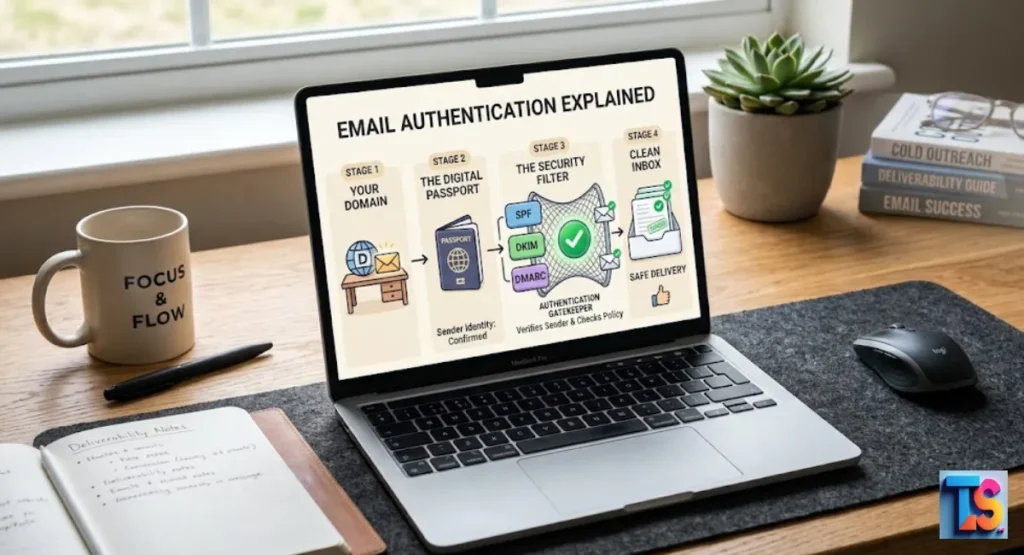
Your domain reputation is like your digital passport. To prove who you are, you must set up three rules: SPF, DKIM, and DMARC.
These records prove that your mail is really from you and wasn’t changed by someone else during the trip.
| Protocol | Purpose | Implementation Requirement |
| SPF | Lists authorized sending IPs | TXT record in DNS |
| DKIM | Adds a cryptographic signature | Public/Private key pair |
| DMARC | Defines policy for alignment | DNS record with policy |
Email Content and Structure
The way you build your email helps filters sort it. Modern systems check for heavy images and weird links, so keep it simple. Use plain text instead of fancy designs; big marketing layouts often look like clutter and get sent to junk fast.
To ensure success, write low spam-score cold emails by using simple, conversational language. Focus on value rather than sales-heavy, robotic patterns, and keep your call to action easy to follow.
Recipient Engagement and Spam Complaints
Providers watch how people act. If they ignore, delete, or flag your mail, your score drops. One report is just a nudge. But a high rate, like over 0.1%, is a big problem.
It can get your domain blacklisted for a long time.
Strategies to Improve Cold Email Deliverability
To get better, focus on list cleaning, tech setup, and being helpful. Clean your lists. Use subdomains for outreach. Keep your sending numbers steady.
Watch your feedback loops to fix problems before they hurt your reputation for good.
Segment and Personalize Your Emails
Generic bulk mail screams spam to machines. Split your lists by industry or job title. Talk about their real pain points.
Send messages that matter to them. Personal touch shows providers that your mail is wanted.
Optimize Your Email Subject Lines
Keep subject lines clear. Don’t use clickbait. Avoid too many caps or weird marks. A good subject line tells the truth about what is inside.
This gets more opens. Opens are a great sign that helps your score.
Create Engaging and Relevant Email Content
Focus on value, not just sales. Your goal is to solve a problem. You need to Write Low-Spam-Score Cold Emails by using simple words.
Keep it conversational. Make your call to action easy.
Avoid Spam Trigger Words and Phrases
Modern filters know the classic sales tricks. Avoid words about “guarantees” or “fast cash.” Write like a person. Speak to them like you would at a desk.
Robots send sales-heavy, robotic patterns. Don’t be a robot.
Test and Monitor Your Email Deliverability
Use tools to watch your placement across providers. If numbers drop, check your setup fast. If you need to Fix Dropping Open Rates After Bulk Scraping, stop your campaign right now.
Check if your leads are real. Then, restart with a smaller list of targeted people.
Best Practices for Cold Email Outreach Success
Success needs both tech skills and a clear plan. Verify your leads. Keep your sending numbers steady. Focus on what your reader needs.
Treat your email setup as a long-term asset. Don’t treat it like a cheap tool. This keeps you in the inbox.
Setting Clear Goals and Objectives
Know what you want before you start. Do you want a meeting? A click? A reply? Stick to one goal. This helps you measure your work.
It also stops you from sending aimless follow-ups. Nobody likes those.
Researching and Customizing Your Prospects
Find the right people. Make sure they actually need what you have. Cold outreach works best when it hits a problem they have right now. Use clean data.
Don’t waste time on fake addresses that bounce.
Using Effective Email Templates
Use templates to keep things organized. But don’t just copy and paste. Always add a personal line at the start. Mention their recent work.
This builds trust. It makes you feel human.
Following Up Strategically
Be steady, not annoying. Send three or four notes over two weeks. If they don’t reply, let them go. Stop emailing them.
Sending too many messages is the fastest way to get marked as spam.
Tracking and Analyzing Your Results
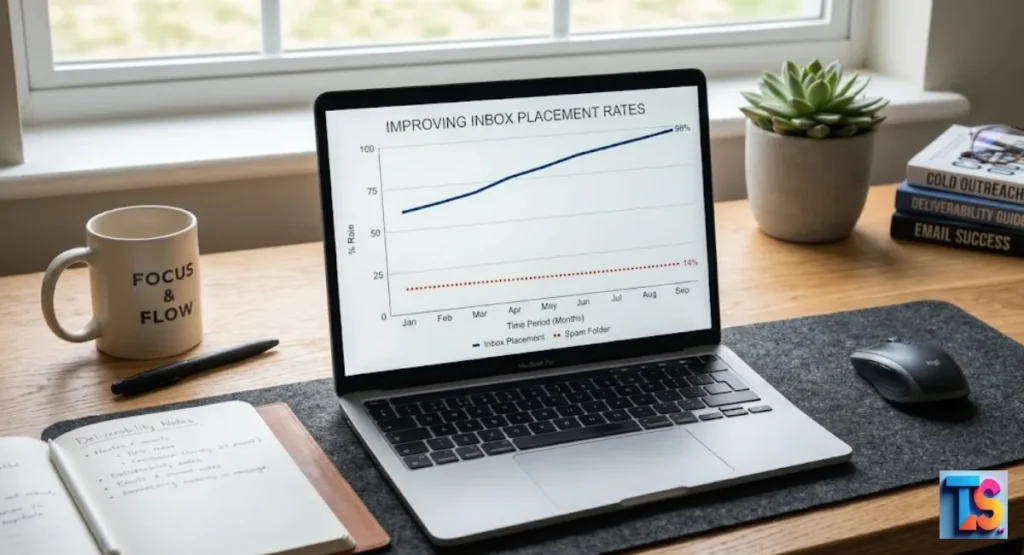
Check your stats every day. Look at opens, replies, and bounces. Watch your dashboard for weird spikes.
If things look wrong, audit your list or your settings. Use the data. Don’t just guess.
Send Mass Email in Outlook: Mail Merge & More
If you use Outlook, use mail merge to keep things personal. Don’t send everything at once. Watch your speed.
Also, you should know how to check if outlook email has been hacked to stay safe:
- Check sent items for mail you did not write.
- Look at login logs for strange places or IPs.
- Check mailbox rules for weird redirects.
Adhere strictly to these Safe Daily Cold Email Limits Per Workspace to preserve your account health:
| Workspace Status | Recommended Daily Limit |
| New (Warming Up) | 20 – 30 Emails |
| Established (Active) | 50 – 100 Emails |
| High-Reputation Domain | 100 – 200 Emails |
Master Reporting Spam to Gmail Effectively
If you get a report, look into it. Use Google Postmaster Tools. See which domain or IP caused it. If you find a pattern, stop mailing those people. Fix the real cause.
Don’t just ignore the warning.
Pre Header in Email: Boost Opens & Revenue 2026
The pre-header is the short text near your subject line. Use it to show the main benefit. In 2026, many people look at this on phones.
They decide if you are worth their time. Make it count.
Spam Filter on iPhone: Your 2026 Guide to Stop Junk Mail
Apple is very strict about privacy. Your tech settings must be perfect. They care about your reputation above all.
Keep your text easy to read on small screens. Skip attachments. Those trigger security filters.
Email Marketing Logo: The Real Guide to Getting a BIMI Logo
BIMI puts your logo in the inbox. You need a good DMARC policy for this.
A logo builds trust. It looks professional. It makes people more likely to click.
Maximize LinkedIn: Your 2026 Email Marketing Linkedin
LinkedIn and email work best together. Find people on LinkedIn first. Connect there.
Then, move the talk to email. This builds name recognition. It makes them less likely to call you junk.
Mobile Email Optimization: Boost Performance in 2026
Most people use their phones to read mail. Keep your text narrow. Make your buttons big enough for thumbs.
If it looks broken on a phone, they will delete it. That kills your reputation.
Email Marketing for Business: Boost Deliverability in 2026
Business email relies on a clean list. Remove old, dead accounts every 90 days. A small, active list beats a huge, dead one every time.
Stop hitting spam traps. Protect your name.
DMARC Alignment Explained: Your Guide to Inbox Placement
DMARC alignment checks that your domain matches your signature. If they don’t match, you go to spam.
This is the top rule for modern, secure delivery. Get this right.
Will your Email Land in the Spam Folder?
It lands in spam if you lack keys, send to bad addresses, or get complaints. Filters watch your IP and your content.
Send cold mail to unverified lists? You will get flagged fast.
FAQs
What is cold email deliverability and why is it important?
It is the power to hit the inbox. It matters because spam folders are invisible. High deliverability means you get seen, you make contact, and you get business done.
How can I improve cold email deliverability?
Setup SPF, DKIM, and DMARC. Use clean lists. Keep bounce rates under 2%. Make every email personal. Stay steady with your volume.
What is the maximum number of cold emails I can send per day per mailbox?
Start with 20 to 30. A safe spot is 50 to 100 per day. Consistency is the secret. Don’t chase high numbers.
Should I send cold emails from my main company domain?
No. It is risky. Use a different domain for outreach. This keeps your main business mail safe if something goes wrong.
Does email personalization affect deliverability?
Yes. It is huge. Personal mail shows providers you are sending to people who actually care. Bulk, generic mail looks like a bot. Personalize your notes to stay in the inbox.