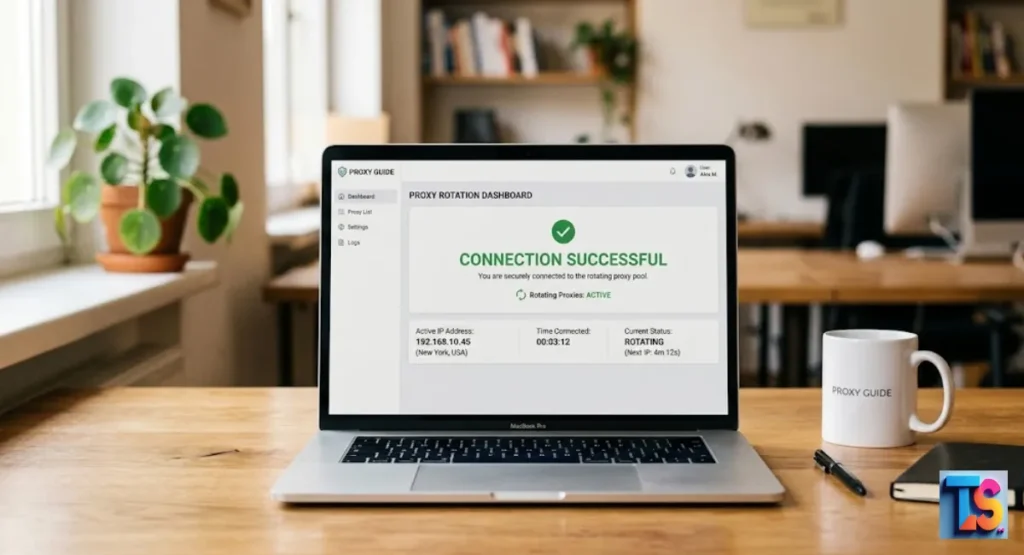
Struggling with annoying website blocks? You are not alone. When you scrape data, sites often stop your tools by banning your IP address. This Proxy rotation guide for beginners solves that problem fast.
By constantly changing your connection, you hide your tracks and keep your bot running smoothly. It makes your traffic look like real human visitors from different homes. You no longer need to worry about being kicked off your favorite sites.
This method is the secret weapon for anyone doing web scraping. Whether you need to bypass geo-restrictions or avoid rate limiting, this guide helps you. Let’s make your data collection tasks much easier and more reliable starting right now.
What Is Proxy Rotation and How Does It Work?
The Definition of Proxy Rotation in Simple Terms
Proxy rotation is a system that automatically changes your IP address every time you send a request to a website. Instead of using one static IP, you connect to a large pool of available addresses.
The system then cycles through these IPs so that no single address is used too often by your scraping tool. It cycles fast.
A static IP is one fixed address that is easy for a website to track and block. A rotating IP is a changing address that makes your activity look like distinct, individual visits.
By using this method, you avoid hitting the rate limits that cause your scraper to get kicked off a site. You stay safe.
How a Rotating Proxy Gateway Routes Your Web Traffic
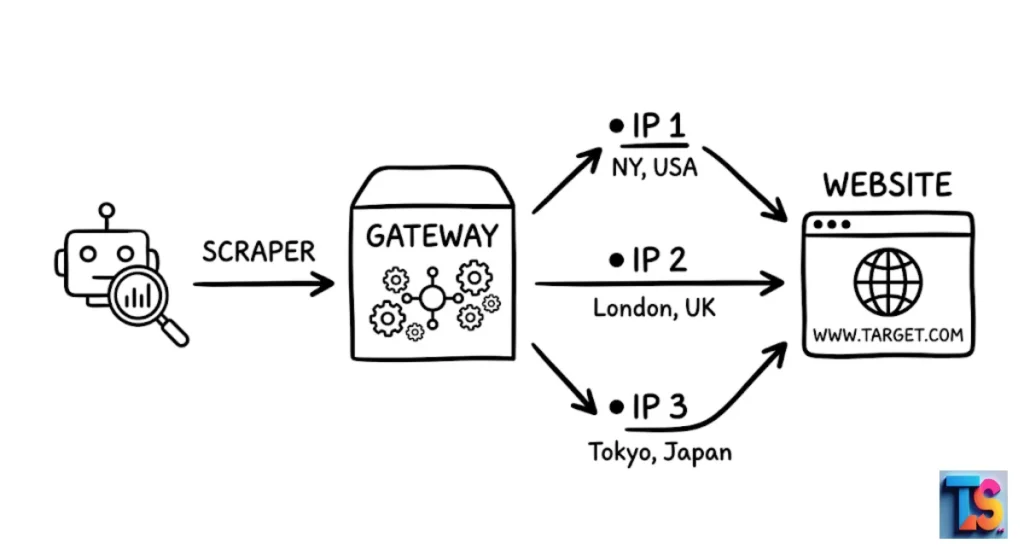
Most modern proxy providers offer a gateway or backconnect node. This is a single address and port that you enter into your code. When you send a request to this gateway, the provider’s server automatically picks an IP from their massive pool and sends your traffic through it.
You do not need to manually manage long lists of proxies; the provider handles the switching for you in the background. It is automatic.
The gateway node is your entry point that manages the entire network of proxies. The provider automatically selects an IP based on speed, location, or availability.
You do not have to update your code because the proxy network does the work for you. It saves time.
Why Do You Need Rotating Proxies for Web Scraping?
Overcoming Rate Limits and IP Bans
To stop automated tools, websites set a rate limit. This is the maximum number of requests one IP can make in a set time. When you exceed this, the site blocks your IP address completely.
Using rotating proxies distributes your requests across many different IPs, keeping you well under the threshold of any individual IP. You avoid blocks.
Rate limiting protects the website server from being overwhelmed. IP bans are the automated response when a site detects too many requests from one source.
By rotating, you spread the load so no single IP triggers a security alert. It stops bans.
Bypassing Geo-Restrictions and CAPTCHAs
Some websites show different data based on your physical location. Rotating proxies allow you to select an IP address from a specific country, state, or city. This tricks the website into thinking you are a local user.
This also helps with CAPTCHAs, as sites are less likely to challenge traffic that appears to come from a residential connection. It tricks sites.
You can use rotation for region-specific pricing, news, or language versions. Additionally, residential IPs have higher trust scores, which leads to fewer CAPTCHA challenges during your scraping tasks. It is very smart.
Mimicking Organic Human User Behavior
Modern websites use advanced systems to study your behavioral fingerprint. If your requests are perfectly timed and come from the same machine, the site identifies you as a bot.
Rotating your IP is the first step to looking human. Combine this with random delays between requests so the website sees you as a normal, browsing person. You act human.
Sites analyze how you move and how fast you click to track behavior. Natural users do not send 50 requests per second. Use rotation alongside random wait times to mimic human behavior. It works well.
The 3 Main Types of Proxies Used for Rotation
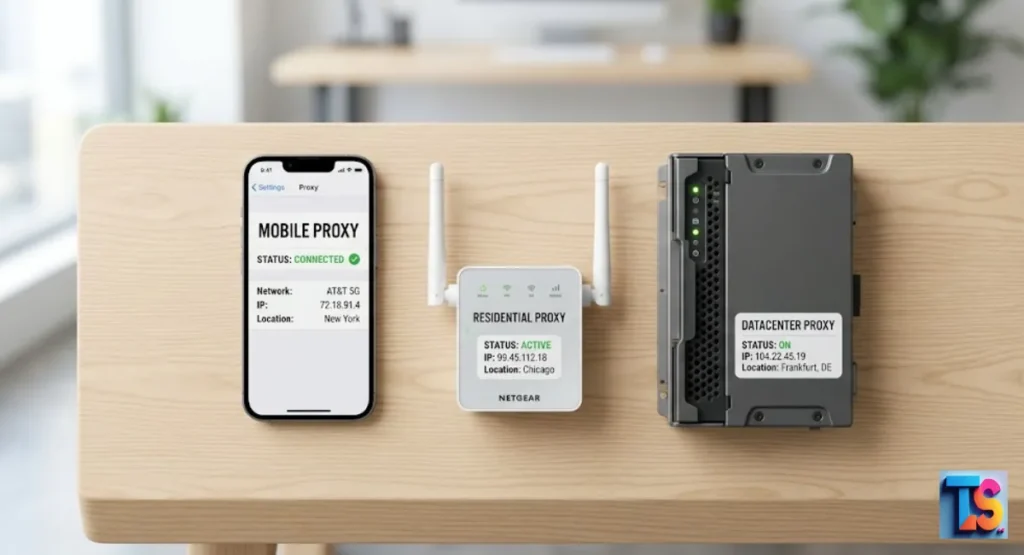
Datacenter Proxies: High Speed at a Low Cost
These proxies come from large cloud data servers. They are very fast and easy to get in bulk for a low price. However, because they belong to data centers, anti-bot systems often flag them instantly.
They work best for scraping simple websites that do not have strict security checks. It is cheap.
| Feature | Datacenter Proxies |
| Speed | Very Fast |
| Cost | Low |
| Trust Level | Low |
| Best For | Simple, non-protected sites |
Residential Proxies: Maximum Legitimacy and Reliability
Residential proxies provide IPs that belong to real home internet connections. These are the most common choice for serious scraping in 2026.
Because they look like real people browsing from home, they are very hard to block.
They provide high success rates on almost any website, though they cost more than datacenter proxies. They are real.
These IPs come from real Internet Service Providers. Websites rarely block residential IPs because they might inadvertently block a real customer. It is reliable.
Mobile Proxies: Best for Strict, App-Based Platforms
These proxies route traffic through real 4G or 5G mobile networks. Mobile carriers use a process that shares one IP among many different users. This makes mobile IPs almost impossible to block without hurting real mobile traffic.
They are the most expensive, but they are the best option for extremely strict websites or mobile apps. It is powerful.
These proxies use real mobile SIM card connections. They provide the highest success rate in the industry for difficult targets. They are the best.
Choosing Your Rotation Logic: Sticky Sessions vs. Per-Request
When to Use Per-Request (Random) IP Rotation
Use per-request rotation when each page you visit is independent, such as checking prices on a product list or scraping public news articles. In this mode, every time you send a request, the proxy changes to a fresh IP.
This is the fastest way to avoid rate limits when you do not need to stay logged in. It is fast.
You do not need cookies or a login state for this to work. This method maximizes the speed of your scrapers. It also reduces the chance of any single IP getting banned. You gain speed.
When to Use Sticky (Time-Based) Proxy Sessions
Use sticky sessions when you need to maintain a state, such as logging into an account, filling out a shopping cart, or completing a multi-page form.
A sticky session keeps the same IP address for a set amount of time so the website does not think you are a new, unauthenticated visitor. It stays put.
These are necessary for logins and session-based tasks. They keep you on the same local connection for a chosen duration. Common durations include 10 minutes or until the target site forces a refresh. It holds state.
Step-by-Step Guide: How to Setup and Use a Rotating Proxy
Step 1: Choosing a Rotating Proxy Provider
Look for a provider that offers a large pool of residential IPs and supports the protocols you need, such as HTTP or SOCKS5. Check if they provide a backconnect gateway, which makes setup much easier.
Always test their service with a small trial before committing to a large plan. You must test.
A larger pool means fewer IP re-uses. Ensure the provider supports the programming language you use. It helps you.
Step 2: Locating Your Gateway Address, Port, and Credentials
After signing up, log into your provider’s dashboard. You will see a host address, a port number, and your authentication details.
Some providers also allow you to whitelist your own computer’s IP address instead of using a password. You get keys.
The gateway is the URL to send all your requests through. The port is the specific gate that controls your rotation settings. Use your username and password for secure access. It is vital.
Step 3: Configuring the Proxy in Your Web Browser or Scraping Script
If you are using Python, you can plug these details into your library’s proxy settings. For tools like Selenium or Playwright, there are built-in options to pass the proxy URL.
Many browsers also have extensions where you can input these credentials to route your traffic through the proxy network. You plug in.
Most web libraries have a simple proxy parameter. Set it once at the start of your script. It is easy.
Step 4: Testing the Connection to Verify Successful IP Swaps
Before running a large job, write a simple script to visit a site like httpbin.org/ip. This site will return the IP address that is currently sending the request.
Run the script multiple times to confirm that the IP address changes with each request or after your chosen time interval. You check it.
Verify that your script is actually using the proxy. If the IP stays the same, check your sticky session settings. Always test.
Practical Example: Basic Proxy Rotation Code Blueprint
Setting Up a Simple Rotation Python Script
Using the requests library in Python, you can set up a proxy connection easily.
Python
import requests

# Your proxy credentials
proxy_url = "http://username:password@gate.proxyprovider.com:7000"
proxies = {"http": proxy_url, "https": proxy_url}

# Test the connection
try:
    response = requests.get("https://httpbin.org/ip", proxies=proxies, timeout=10)
    print(response.json())
except Exception as e:
    print(f"Error: {e}")
Define your proxy URL once for a clean setup. The code is modular, so you can easily change the gateway ports. It is clean.
Handling Proxy Authentication Errors Elegantly
Always wrap your request in a try-except block. If the proxy fails due to a bad password or connection issue, the script should catch the error and log it, rather than crashing your entire project. Handle errors well.
Record failed attempts to see if your proxy provider has downtime. Use a retry loop to try the request again if a specific IP fails. You avoid crashes.
5 Common Beginner Proxy Rotation Mistakes to Avoid
Mistake 1: Relying Entirely on Free Public Proxy Lists
Free proxies are often used by thousands of people at once. They are slow, unstable, and almost always already blacklisted by major websites.
They will likely cause more blocks than they solve. Do not use them.
You pay for free proxies with your data and wasted time. Free lists are rarely reliable for real work. It is risky.
Mistake 2: Ignoring Target Website Robots.txt and Terms
Always check the robots.txt file of the website you are scraping. This file tells you which parts of the site the owner allows bots to visit. Respecting these rules helps you avoid legal issues and keeps your scraping activities professional. It is good manners.
Checking robots.txt shows you are a responsible scraper. This prevents your main IP from being blacklisted by the site owner. Be smart.
Mistake 3: Choosing the Wrong Proxy Type for Hard Targets
Do not use cheap datacenter proxies for sites with advanced security like banking or social media platforms. You will get banned instantly.
Always match your proxy type to the difficulty of the website. You must match them.
Easy sites allow datacenters, but hard sites require residential or mobile proxies. Pick the right tool.
Mistake 4: Not Handling Connection Timeouts Properly
Sometimes a proxy will be slow or unresponsive. If your script waits forever for a response, your program will crawl to a halt. Always set a specific timeout so your script can move on to the next working proxy quickly. Set a limit.
A 10-second timeout keeps your scraping pipeline moving. It keeps you fast.
Mistake 5: Forgetting to Rotate User-Agents Alongside IPs
An IP address is only one part of your digital fingerprint. If your IP changes but your User-Agent stays the same, the website may still know it is you.
Rotate your User-Agents to make your traffic look even more authentic. Change your identity.
Send a random browser header with every request. It adds depth.
FAQs
Is proxy rotation legal to use?
Yes, using proxies is legal. However, what you do with them matters. You must follow the website’s terms of service and ensure you are not collecting private or sensitive personal information in violation of privacy laws. Always stay legal.
How many proxies do I need in my pool?
For most small to medium projects, a pool of a few hundred rotating residential IPs is plenty. If you are scraping at an enterprise scale with thousands of concurrent requests, you may need a provider that offers access to millions of IPs. Size matters.
Will rotating proxies slow down my internet speed?
Yes, using a proxy adds a small hop to your connection, which can slightly increase latency. However, high-quality providers have fast servers that keep this delay minimal, usually unnoticeable for most web scraping tasks. It is rarely noticed.
The Bottom Line
That proxy rotation is the key to successful Ethical & Technical Scraping. When you need to Fix Chrome scraping timeouts, rotate your IPs.
To Scrape large lists without IP blocks, keep your rotation active. To Format scraped data for CRM import, clean your data after you finish. You can succeed.
Do you need further help with these scraping techniques or integrating your data?