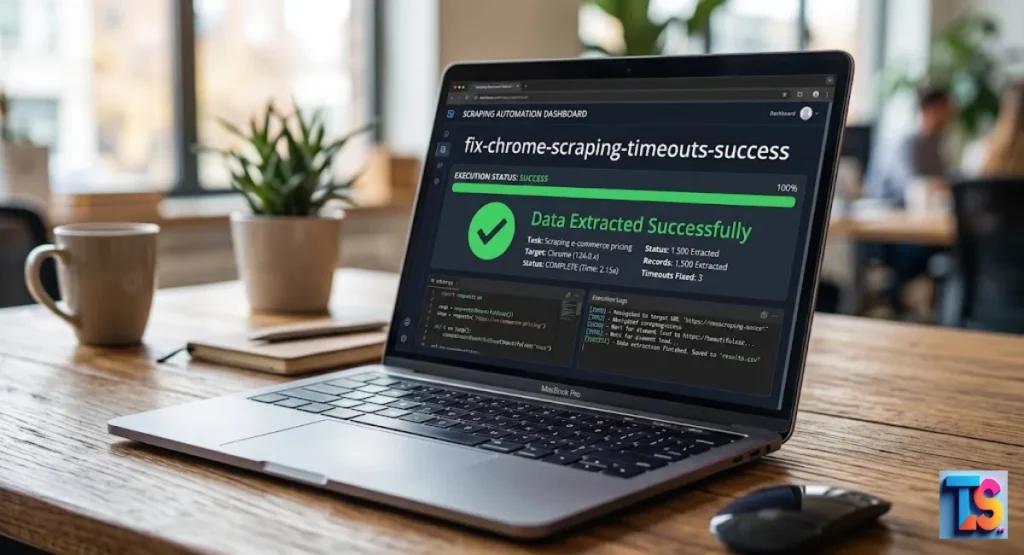
Struggling to gather data? If your browser freezes during big tasks, you need to Fix Chrome scraping timeouts immediately. These annoying delays usually happen because target websites detect your bot or your local machine lacks enough memory to render heavy pages.
When scripts stop suddenly, you lose precious time and valuable information. By adjusting your settings and using smart proxy rotation, you can bypass these roadblocks easily.
This guide will show you how to optimize your web automation settings and use headless browser flags to keep your connections stable. Stop dealing with crashes today and start extracting your data harvesting results with total confidence and speed.
Why Is Your Chrome Scraper Timing Out? (The Root Causes)
Scripts often stop because they fail to grab page data before the timer runs out. This is rarely an accident. Many websites use strong security tools to find your bot.
The server sees your activity. It reacts. The site slows down your connection. It wants you to fail. It is a trap.
1. Anti-Bot Detection and Rate Limiting (The Silent Block)
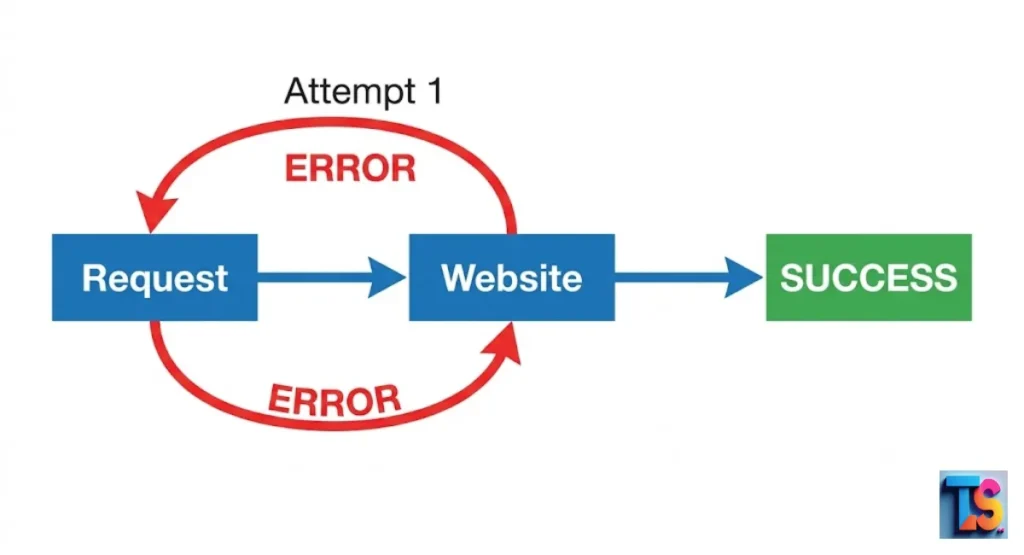
Systems watch how fast you send requests. Send too many at once? The server triggers a block. It feels like a timeout. The server just stops talking to you. It thinks you are a bot.
It wants to save its own bandwidth. Use rotating residential proxies to hide your identity. Ethical & Technical Scraping requires this. Proxy rotation guide for beginners helps you hide.
2. Heavy JavaScript and Dynamic DOM Rendering
Modern sites use complex code to build pages. Your scraper must wait for the whole thing to show up. If a page has many big images or ads, Chrome works very hard.
If your timer is too short, your script dies before the page finishes. You need to wait for specific items to load. Fix Chrome scraping timeouts by using smarter waiting tricks.
3. Chrome Memory Leaks and Resource Exhaustion
Running many browser tabs uses a lot of RAM. Over time, Chrome eats all your computer’s memory. The browser slows down or stops. It freezes. Once you run out of resources, new requests fail. You get timeouts. Even on good sites. Restart your browser often. Limit your tabs. Keep your scraping work steady and clean.
Quick Fixes: Optimizing Browser & Network Configurations
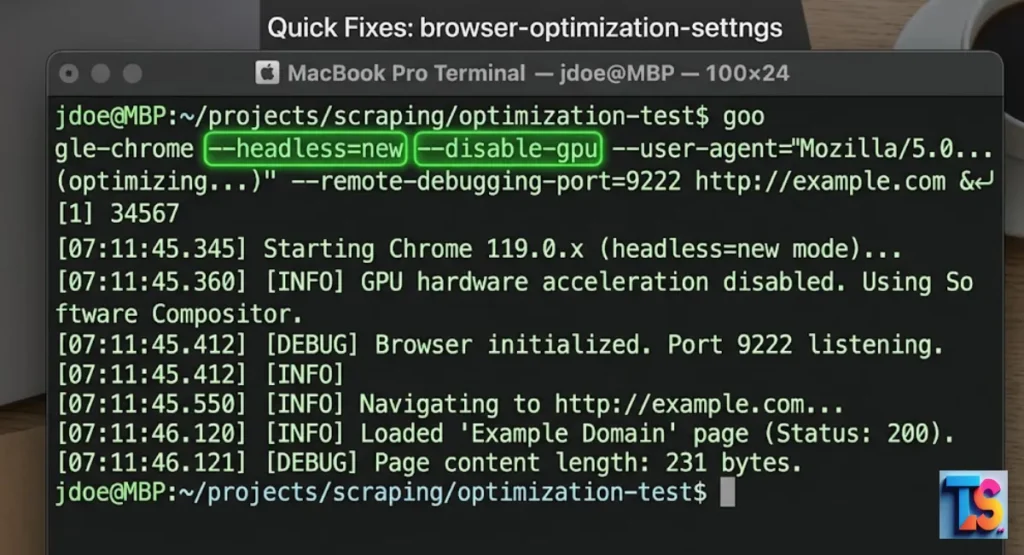
Adjusting how Chrome talks to your computer fixes many common timeout issues. These settings lower the load on your machine. They also help hide your bot from basic detection tools.
These small changes help your scraper run smoothly. You will not need to restart it. It makes your daily work much easier.
Increase the Default Navigation Timeout Limits
Most tools default to 30 seconds. That is too fast for heavy, modern sites. Increase this limit to 60 or 90 seconds. This simple step stops your script from killing a connection just because the server was slow.
Adjust this in your config file. Longer waits allow the browser to finish its job.
Run Chrome in Headless “New” Mode (–headless=new)
The old headless mode is easy to spot. Security tools see it right away. The new headless mode behaves exactly like a normal desktop browser. It is a very stable way to save memory.
It keeps your scraper hidden. Update your launch flags to use this mode. It passes basic security checks every time.
Disable Hardware Acceleration and GPU (–disable-gpu)
When running scrapers on a server, you do not need the graphics card. In fact, it often causes crashes. Turn off the GPU and hardware acceleration.
You save a lot of memory. This keeps Chrome stable. It prevents the browser from freezing when you open many tabs at once. Save your CPU.
How to Bypass Anti-Bot Systems Causing Timeouts
If a site blocks you, more time will not help the page load. You must make your requests look like they come from real humans. These strategies help you blend in with normal traffic.
The server will let your requests pass through. You will not see any more delays or crashes.
Implementing Premium Residential Proxies with Auto-Rotation
Using one IP address for every request will get you blocked in 2026. Use premium residential proxies. They use real home internet connections. Set up auto-rotation.
Your scraper gets a new, clean IP address for every request. This hides your path. The server cannot link your activity to one single source. Scrape large lists without IP blocks this way.
Spoofing TLS Fingerprints and Browser Headers
Sites check your TLS fingerprint in 2026. They want to see if you are a real browser. If your fingerprint looks like a bot, they block you. Update your headers.
Spoof your fingerprint to match a standard Windows or Mac browser. You look like a human visitor. Pass those strict security checks now.
Managing Cookies and Session Persistence
If you clear your cookies, the site treats you like a new visitor. It looks suspicious. Save and reuse your cookies instead. This keeps your session alive.
The site thinks you have been browsing for a while. You get fewer blocks. Pages load faster. Store your cookies in a secure file.
Advanced Code Solutions for Puppeteer, Playwright, and Selenium
If the quick fixes do not work, change your code. Instead of waiting for a set time, wait for specific page parts. This makes your scraper much faster.
It finishes as soon as the data is ready. You stop wasting time on blind, long pauses. It is more precise.
Puppeteer: Configuring page.setDefaultNavigationTimeout()
In Puppeteer, you can set a global timeout for all actions. Use the page.setDefaultNavigationTimeout() command. Increase your limit. This ensures that every request you make inherits the longer timeout.
It stops your script from failing during network spikes. Use it during your main setup. It keeps the scraper very patient.
Playwright: Utilizing wait_until=”networkidle” Effectively
Playwright lets you wait until the network is quiet. Use the networkidle option. Tell your script to wait until there are no more active connections.
This is better than a fixed timer. It finishes immediately when the page is ready. It is very fast. Use this to ensure all background scripts finish loading.
Selenium: Switching from Implicit to Explicit Waits
Implicit waits in Selenium often slow down your project by waiting for everything. Use explicit waits instead. These tell your script to wait only for the item you need.
Like a price. Or a table. This is the best way to handle slow sites. Use ExpectedConditions to pause until the element exists.
Code snippet: Robust “Try-Catch-Retry” Scraper Pattern
A simple retry loop saves your script from crashing. Connections drop sometimes. Wrap your commands in a try-catch block. This forces the browser to reload instead of quitting.
JavaScript
async function fetchWithRetry(url, retries = 3) {
  for (let i = 0; i < retries; i++) {
    try {
      await page.goto(url, { waitUntil: 'domcontentloaded', timeout: 60000 });
      return;
    } catch (error) {
      console.log(`Attempt ${i + 1} failed. Retrying...`);
      if (i === retries - 1) throw error;
    }
  }
}
Infrastructure Fixes: Scaling Beyond a Local Machine
Running scrapers on your own laptop has limits. If you scale up, your internet and RAM become the bottleneck. Move your setup to the cloud.
You can handle thousands of pages without the hardware issues that cause local timeouts. This setup handles high volumes. Your connections will stay very stable and fast.
Solving Docker Container Resource Throttling (/dev/shm size)
When running Chrome inside Docker, the default memory space is very small. Chrome needs more room to handle modern web pages. If you do not increase the /dev/shm size, the browser crashes.
Fix this by adding --shm-size=2gb to your Docker run command. It prevents crashes. It keeps your browser very stable.
Moving to Cloud-Based Scraper APIs and Headless Grids
Cloud-based scraper APIs manage the work for you. These services handle proxies and browsers. They are built to beat anti-bot systems in 2026.
Offload the technical work to them. You focus on data. They handle the hardware. You scale your work fast. Format scraped data for CRM import once the data is ready.
FAQs
Why does my scraper only time out on specific websites?
Some sites have stronger security. If a site uses advanced bot detection, it will throttle your connection on purpose. Large stores and social sites do this to stay safe. You must adapt your strategy for these tough targets. Be flexible. Keep testing new methods to beat their walls.
What is the ideal timeout limit for web scraping?
A good start is 60 seconds. However, it depends on the site. If the site is heavy with images, you might need 90 seconds. Always use the shortest time that still allows your script to finish. This saves you time. It keeps your scraper moving fast. Do not go too long.
Does changing the User-Agent fix Chrome scraping timeouts?
Changing the User-Agent helps you avoid being blocked. But it does not fix network timeouts. If your scraper stops because of a network error, a different User-Agent will not help. You must combine User-Agent rotation with better proxies and proper wait strategies. That is the only way to get real results.
The Bottom Line
Keep your settings smart and your proxies fresh. This keeps your scraping fast and clean. It stops those annoying timeouts for good.
Your data collection will run perfectly every single time you launch your code. Stick to this guide. You will see much better results. Happy scraping!