To succeed in 2026, you must Filter Competitor Domains from Lead Lists to keep your outreach sharp. When you include rivals in your database, you waste your budget on email credits and software costs for people who will never buy.
This bad data ruins your sales funnel and makes your metrics look fake. By using smart Data Hygiene & Segmentation, you stop leaking your internal secrets to industry peers. Clearing your list ensures your message hits real buyers, not competitors watching your every move.
So, start cleaning your files today. Protect your B2B lead generation strategy, boost your conversion rate, and finally stop paying to contact firms that provide zero Return on Investment.
The Hidden Cost of Including Competitors in Your Lead Lists

Including competitor domains in your outreach causes financial waste and pollutes your CRM data. You spend money on software licenses and email credits for prospects who will never convert.
This practice also ruins your analytics, as competitive interactions distort your conversion metrics, making it impossible to calculate your true return on investment accurately.
When you allow rival firms to stay in your system, you essentially pay to show them your internal secrets. Your team loses time and resources that could have been used to close real deals with actual customers.
Keeping these domains in your list creates a cycle of waste that hurts your growth and your bottom line.
- Wasted Budget: You pay for outreach tools to contact firms that do not buy.
- Data Pollution: Non-buyer data makes your sales reports inaccurate and unreliable.
- Intelligence Leak: Competitors monitor your pricing, sales scripts, and new product features.
- Resource Drain: Your sales team spends valuable time pursuing leads that have zero potential.
Why You Must Filter Competitor Domains from Your Outreach
Filtering competitor domains prevents wasted marketing spend and protects your proprietary business intelligence. When you exclude rival companies, you improve your overall email deliverability.
This happens because you stop sending content to addresses that likely report your emails as spam, which preserves your sender identity. Protecting your reputation ensures your communications reach buyers who need your specific solutions.
Beyond deliverability, this practice sharpens your sales data accuracy. By removing non-buyers, your conversion metrics reflect real market performance.
This clarity allows you to scale your campaigns with confidence, knowing your team contacts only viable prospects. Clean lists lead to more accurate forecasting and more efficient use of your sales team’s time.
- Higher open rates for your important sales and marketing messages.
- Better sender reputation scores with all major email service providers.
- Reduced bounce rates because you are targeting real potential buyers.
How to Build a Comprehensive Competitor Blocklist

Building a reliable blocklist requires combining internal CRM insights, competitor research, and automated discovery tools. You must treat your blocklist as a dynamic asset that evolves alongside your market.
A centralized list ensures that every department uses the same standards. You should also integrate this with other tasks like your need to Check Active WhatsApp Numbers in Bulk.
Your blocklist is a living document that needs constant updates. As your company grows, your list of rivals will also change. Make sure that everyone on your team has access to this list so they do not accidentally contact a competitor.
This simple step keeps your entire department on the same page.
- Create a master list that stays updated for all your team members.
- Use your CRM to flag any new competitor domains that appear daily.
- Check your blocklist before you start any new outreach campaign.
Using Your Existing CRM and Marketing Data
Your CRM contains the most accurate list of companies you already know are competitors. Export your competitor-tagged accounts and cross-reference them with your current lead lists.
This method acts as your first line of defense, catching the most obvious rivals before they enter your active sales pipeline. Proper Data Hygiene & Segmentation starts here.
Your internal data is the best source of truth for your business. Look at your past deals that were lost to competitors. Take those company domains and add them to your master blocklist right away.
This simple action prevents your sales team from repeating the same mistakes and wasting time on known non-buyers.
- Export your list of lost deals to find competitor domain names.
- Tag these companies in your CRM for easy filtering in the future.
- Run a quick scan every month to update your exclusion lists.
Leveraging Keyword Research to Identify Competitors
Keyword research helps you find competitors you might have missed. Search for the terms your customers use to find your services. Analyze the companies that appear in the top results for these queries.
Adding these domains to your blocklist prevents you from targeting companies that are aggressively positioning themselves against your brand in 2026.
When you see companies ranking for the same keywords as you, they are likely your main market rivals. You can use this information to build a strong shield around your lead lists.
By keeping these companies out of your outreach, you ensure that your ads and emails reach only the people who want to buy.
- Identify the top three competitors in your main service category.
- Use tools to find who is bidding on your brand name keywords.
- Add these new competitors to your blocklist to protect your leads.
Automating Competitor Discovery with AI Tools
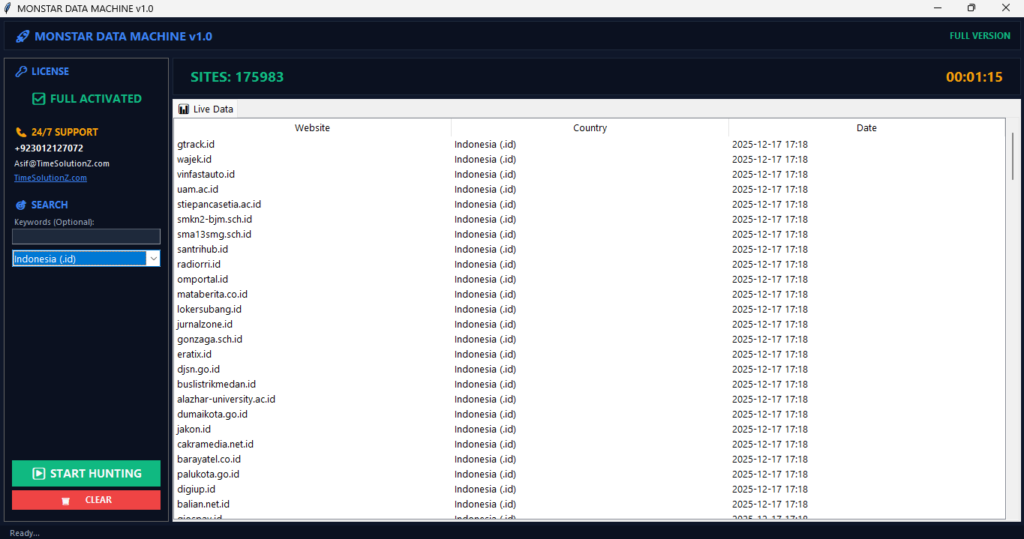
Modern tools automatically scan the web to identify new competitors based on website content and service offerings. Some advanced platforms even help you Map Google Maps Coordinates to Excel for geographic filtering.
Automating this discovery ensures your blocklist stays updated without requiring hours of manual research or constant spreadsheet management for your growing lists.
Automation is the key to staying ahead in a fast market. You can set up systems that look for new websites that offer similar services to yours.
These tools save your team from doing boring manual work. This allows you to focus on selling while the software takes care of your data quality.
- Use software that alerts you when a new competitor website launches.
- Automate your data sorting to save your team many hours of work.
- Let the system update your blocklist without any extra human effort.
Best Methods for Filtering Competitor Domains at Scale
Scale requires efficient systems that process thousands of rows of data quickly. You can manage large datasets using built-in automation in CRM platforms or by applying advanced formulas in spreadsheet software.
The goal is to create a repeatable process that identifies and removes unwanted domains before your sales team ever initiates any outreach contact.
Managing data at scale means you need clear rules. Whether you use a simple tool or a complex system, the steps must be the same every time. This consistency helps you avoid errors.
A good system makes it easy for any team member to keep the data clean and accurate for all campaigns.
| Method | Best For | Technical Effort |
| CRM Automation | Daily list imports | Low |
| Spreadsheet Formulas | One-time list cleaning | Medium |
| AI Data Services | Enterprise-level hygiene | Low |
Automated Filtering in Lead Generation Platforms
Most modern lead generation tools offer a blacklist or exclusion feature. You simply upload your list of competitor domains, and the software automatically prevents these leads from being exported or added to your sequences.
This is the most efficient way to maintain hygiene because it happens in real-time as you build your outreach lists.
When you use automated tools, you remove the risk of human error. The software checks every lead against your blocklist before it allows you to start your sequence.
This is a great way to make sure that you are always targeting the right people. It keeps your outreach clean and focused every time.
- Upload your master blocklist directly into your lead generation software.
- Enable real-time filters to block new competitors from entering your list.
- Save time by letting the platform handle your data scrubbing tasks.
Cleaning Your Lists Using Spreadsheet Formulas
If you use Excel or Google Sheets, the VLOOKUP or COUNTIF functions allow you to compare your lead list against your blocklist instantly. You can highlight or remove rows that match your excluded domains.
This method works well for static lists and ensures that you do not send campaigns to unwanted contacts by mistake.
Spreadsheet formulas are a quick and free way to clean your data. You do not need expensive software to keep your lists in good shape. Just set up your sheet once, and you can use it for all your future outreach needs. It is a very powerful way to manage your lead quality today.
- Use the VLOOKUP function to compare two different lists of data.
- Highlight the rows that match to see them clearly on your screen.
- Delete the unwanted rows to make your lead list ready for use.
AI-Powered Data Segmentation and Cleanup
Advanced data platforms use machine learning to segment your audience and identify companies that do not match your ideal customer profile. These tools look at company website language, industry codes, and employee size to flag potential competitors.
This approach helps you maintain high-quality lead lists that focus on your most profitable market segments.
AI takes the guesswork out of data management. It can spot patterns that a human might miss. By using these tools, you ensure that your outreach is always hitting the mark.
It is a smart way to stay competitive while you also perform tasks like the ability to Separate Personal and Business Emails in Bulk.
- Use smart filters to categorize your leads by size and industry.
- Let the AI identify companies that are not a good fit for you.
- Keep your segments clean so you can send the right message to everyone.
Step-by-Step: Implementing a Reusable Blocklist Workflow
To implement a reusable blocklist, you must centralize your data and standardize formatting. First, compile all rival domains into a master file. Then, use automation tools to scan new leads against this file before outreach begins.
This workflow saves hours and keeps data clean while you also Separate Personal and Business Emails in Bulk.
A good workflow makes your team much more productive. When everyone knows the steps to take, you avoid mistakes and save energy. Start by building your master file and keep it in a place where your whole team can find it.
This makes it easy to stay organized and keep your data clean forever.
- Centralize: Store all blocked domains in one shared spreadsheet or CRM file.
- Standardize: Ensure all domains are listed in a consistent format without any extra prefixes.
- Cross-Reference: Run your new lead list against the blocklist using a simple formula or tool.
- Execute: Remove the matches from your outreach set before sending emails.
- Audit: Review your excluded list quarterly to ensure no legitimate prospects were accidentally caught.
Avoiding Common Filtering Mistakes in B2B Prospecting
The most common mistake is filtering too broadly and losing good leads. For example, blocking a large parent company might accidentally exclude a subsidiary that could be a perfect customer.
Another mistake is forgetting to update your list. Markets change quickly, and new competitors appear throughout the year. Always verify a domain before permanently banning it.
Be careful not to block your chances for success. If you are not sure if a company is a competitor, take a second look. Sometimes, a company might seem like a rival but could actually use your services.
Keeping a balanced view helps you grow your business and find new ways to win customers.
- Do not block entire industries just because you have one bad rival.
- Check each company domain carefully before adding it to the list.
- Keep a separate list for companies you are still researching.
How to Maintain and Refresh Your Blocklist Over Time
Data hygiene is an ongoing responsibility rather than a one-time project. Set a calendar reminder to review your blocklist every three months. Check for company mergers, acquisitions, or businesses that have changed their primary service focus.
Keeping your blocklist current ensures your sales team always works with the most accurate, high-value data possible for every campaign.
Your market is always moving. Companies change names, merge, or start doing new things. When you refresh your list often, you stay ready for anything. Teach your sales team to tell you when they find a new competitor.
This helps you keep your data perfect and your sales strategy strong in 2026.
- Review your entire blocklist every three months to keep it fresh.
- Watch for news about mergers in your industry to update your lists.
- Listen to your sales team as they are the first to see new rivals.
The Bottom Line
That filtering competitor domains is essential for efficient B2B lead generation. By removing irrelevant companies, you save money, improve email deliverability, and protect sales intelligence.
Use CRM tools, spreadsheet automation, and team feedback to keep data clean. A well-maintained blocklist ensures your outreach stays focused on prospects who are ready to convert into long-term partners.