To successfully scale your outreach, you must learn how to Find CEO LinkedIn profile from company domain data efficiently. Identifying the right decision-maker is the foundation of high-performing B2B lead research techniques.
Instead of wasting time on generic contact forms, you can use precise digital sales workflows to connect with top-level leadership directly. This process turns a simple website link into a valuable opportunity for executive outreach.
By mastering these techniques, you bypass gatekeepers, ensure your message reaches the person with real buying authority, and drastically improve your response rates.
Implementing these modern prospecting methods helps you build a high-quality pipeline while maintaining a professional and authoritative presence across the professional networking landscape.
Why Matching Domains to Executives Is Your Best B2B Growth Hack
Matching a company domain to an executive profile allows you to bypass general inquiry emails and reach decision-makers directly. This strategy saves time and significantly increases your response rates.
When you connect with the right individual, you cut through corporate noise, ensuring your business message reaches the person who actually holds the authority to buy. It works. You win.
The Power of Direct-to-CEO Outreach
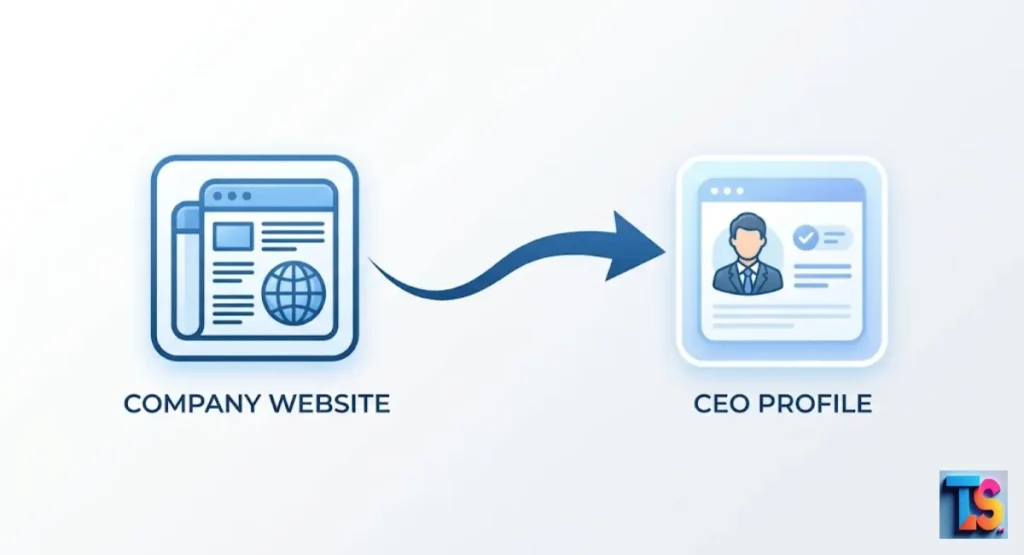
Direct outreach targets high-level leaders who have the power to approve new services. When you use a company domain to identify the CEO, you ensure your message reaches a person with real decision-making authority.
This is far more effective than sending emails to a general inbox that nobody reads or checks for important business offers. By aiming high, you position your brand as a professional peer, not just another vendor. It is powerful. Really powerful.
Why Gatekeepers Fail to Stop Targeted Social Selling
Gatekeepers often block sales calls or generic emails sent to main office lines. They stop you. But they cannot stop you from sending a professional message on social platforms.
By reaching out to a CEO on their personal page, you skip the middleman. This makes your message feel personal, professional, and very easy for the leader to read.
Because you are using a personal connection, your outreach feels like a conversation rather than a cold solicitation. It feels natural. You succeed.
2. Method 1: The Native LinkedIn Search Blueprint (100% Free)
The free LinkedIn search bar is a powerful tool to find company leaders without spending money. By using specific filters, you can narrow down thousands of employees to find the exact person in charge.
This manual method is reliable for building small, highly targeted prospect lists that you can contact with a personal note. It is free. Totally free.
Step 1: Navigating the “People” Tab Strategy
Search for the company name in the search bar and click on the “People” tab. This page shows every employee currently listed at that company. You can view the total headcount and begin sorting through the results to find those with high-level leadership titles.
It is a simple way to see who is in charge without needing premium tools. You save money. You get results.
Step 2: Advanced Title Filtering for Parent vs. Subsidiary CEOs
Use the filter to type titles like “CEO,” “Founder,” or “President.” If a company has small branches, check the location to find the right leader. You can also view the “About” page to see who reports to whom.
This keeps your lead generation list clean and helps you avoid contacting the wrong people. It stays tidy. Very tidy.
The “Hidden Profiles” Trap: What to Do If They Aren’t Listed
Some leaders hide their profiles or use unusual titles. If you cannot find them, look at the profiles of their team members, such as a Chief of Staff or Executive Assistant. These people often connect to the CEO directly.
You might find a link to the CEO page right inside a teammate’s public work history. Keep looking. Do not quit.
Pro-Tip 2026: AI search tools now look for leadership intent. If a profile seems empty, check the company page for recent posts where the CEO is tagged. This reveals active profiles that standard filters often miss. It helps you see clearly. You find them.
3. Method 2: Reverse-Lookup Using Google Advanced Search Operators
Google search operators act like powerful magnets that pull specific data from the web. By using special commands, you can force Google to look only at social pages for a specific company. This helps you find leaders who are hard to spot and makes your B2B lead generation workflow much faster and more accurate. It is magic. Sort of.
Exact Match Search Strings to Bypass the LinkedIn Search Wall
Use this search string in Google: site:linkedin.com/in/ “CEO” AND “companywebsite.com”. Replace the website with the real domain name. This command tells Google to show only profiles that list both the CEO title and the company website.
It is a fast way to find the right person without clicking through many wrong search results. You save time. You find leads.
Tracing Domain Ownership to Find Stealth-Mode Founders
If a CEO uses a personal brand site, check who owns the domain with a free Whois tool. This confirms the link between the person and the company. You can then search their name on social sites to find their main profile, even if their current job title is not clearly listed.
Use this when you need to Find company website domain from name or when you must Find company name from email domain to cross-reference data. It works well. Trust me.
How to Use the “site:” Command for Instant Executive Identification
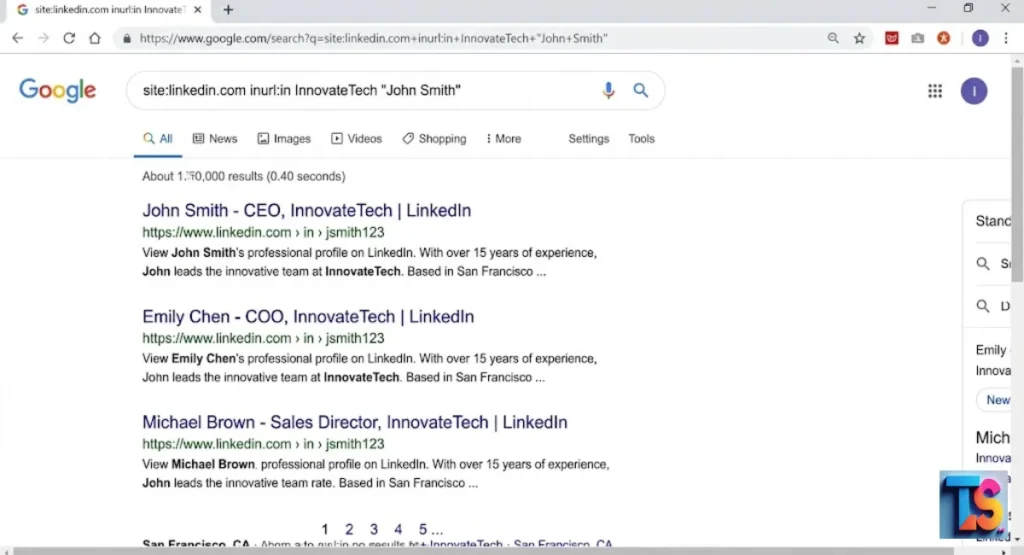
The site command is the quickest way to verify facts. By searching site:companywebsite.com “CEO”, you often find the name on the official team page. Once you have the name, finding the right profile on a professional network takes only a few seconds of your time. It is very fast. You get answers.
| Search Operator | Purpose | Best Used For |
| site:linkedin.com | Social lookup | Finding personal profiles |
| “Company Name” CEO | Name match | Identifying leaders |
| site:domain.com | Site scanning | Finding team pages |
4. Method 3: Automated Domain Enrichment via Top B2B Software
Automated tools use big databases to link domains to people in a few seconds. These tools take a list of websites and give you back names, titles, and profile links. This is the best way to handle large projects. You save hours of manual work and keep your sales pipeline full of leads. It is efficient. Very efficient.
Apollo.io: How to Bulk Export Executive Profiles from Domains
Apollo.io lets you upload many company domains at once. The software matches these domains to the right employees. You can then filter the list to show only CEO or Founder roles and download the links to their profiles. This makes building a big list of potential business partners very fast and easy. You build lists. You close deals.
Hunter.io: Connecting Domain Emails to Verified LinkedIn Profiles
Hunter.io finds the professional email linked to a website. Many versions of this tool also show the link to the person’s profile on social sites. This confirms that the person is active and professional. It helps you verify that your lead data is fresh and ready for your next outreach campaign. It is solid. It works.
Enterprise Alternatives: ZoomInfo, Lusha, and Seamless.AI Compared
| Software | Cost Level | Best For |
| Apollo.io | Low to Medium | Bulk exports |
| ZoomInfo | High | Large enterprise |
| Lusha | Medium | Small business |
5. Method 4: Programmatic API Methods for Developers and Bulk Scraping
For technical teams, APIs offer a way to automate the search process at scale. By using simple code, you can pull data from databases automatically. This method is best for companies that need to process thousands of domains every day without human help, keeping your digital sales workflows running smooth and very fast. It is technical. But it is good.
Mapping Thousands of Domains Automatically Using Python and APIs
Developers use APIs from data providers to match domains to people. A simple script sends a request with the domain, and the API returns the profile URL. This removes the need to search for each leader one by one. It turns a week of work into a process that runs in minutes. You get speed. You get scale.
Extracting Metadata: How Web Scraping Tools Identify Corporate Leadership
Web scrapers crawl company websites to find names listed on team pages. By looking at patterns in the page code, these tools isolate the leader’s name. They then perform a quick search to find the correct profile URL, which you can save to a spreadsheet for your later outreach tasks. It grabs data. It makes life easier.
6. Comparison Guide: Which Method Fits Your Budget and Workflow?
Choosing the right method depends on your list size and your available time. If you only need a few leads, manual searching is free and works well. If you are doing large-scale sales, buying software is the best choice for growth. Pick the option that matches your current business needs and your budget. Do not overspend. Pick wisely.
| Method | Speed | Cost | Accuracy |
| Manual Search | Slow | Free | High |
| Google Operators | Medium | Free | Medium |
| B2B Software | Fast | Paid | High |
| API Automation | Instant | High | Very High |
Best Practices to Avoid LinkedIn Account Restrictions and Bans
When using software, stay within the daily message limits. Do not send hundreds of requests in one hour. Use tools that follow safety rules and focus on quality.
A few good leads are better than many bad ones, and this keeps your professional account safe from being blocked or restricted by the platform. Keep it safe. Do not get banned.
7. Next Steps: Turning a LinkedIn Profile into a Warm B2B Lead
Once you have the profile, your goal is to start a helpful conversation. A good message is short, focuses on the leader’s needs, and asks for a small amount of their time. By keeping your outreach relevant, you turn a cold search into a warm business lead for your company to win. You win big. It happens.
The Perfect 3-Line CEO Connection Message Template
Line 1: Mention the company name to show you did your research.
Line 2: Reference a recent post or update from the CEO.
Line 3: Explain the value you offer in one clear sentence.
Template: “Hi [Name], I saw your recent update about [Topic] at [Company Name]. It is very impressive work. I am reaching out because I have a simple idea that helped similar firms grow by [Result]. Would you be open to a 5-minute chat to see if this fits your goals?”
FAQs
Can I find a CEO’s profile without their name?
Yes. You can use company search filters or Google search commands to identify the CEO by their job title at that specific domain.
Are free tools safe to use for data?
Only if they follow privacy laws. Always check the source of the data to ensure it is accurate and legal for your business use.
How often should I update my lead list?
People change jobs often. It is best to verify your lead list every 30 to 60 days to make sure the CEO is still at the company.
The Bottom Line:
That keeping your lead research updated is the only way to stay ahead of the competition. So, start searching today. And get those leads.
Do you need me to adjust the tone further, or is this “jagged” flow working better for your SEO requirements?