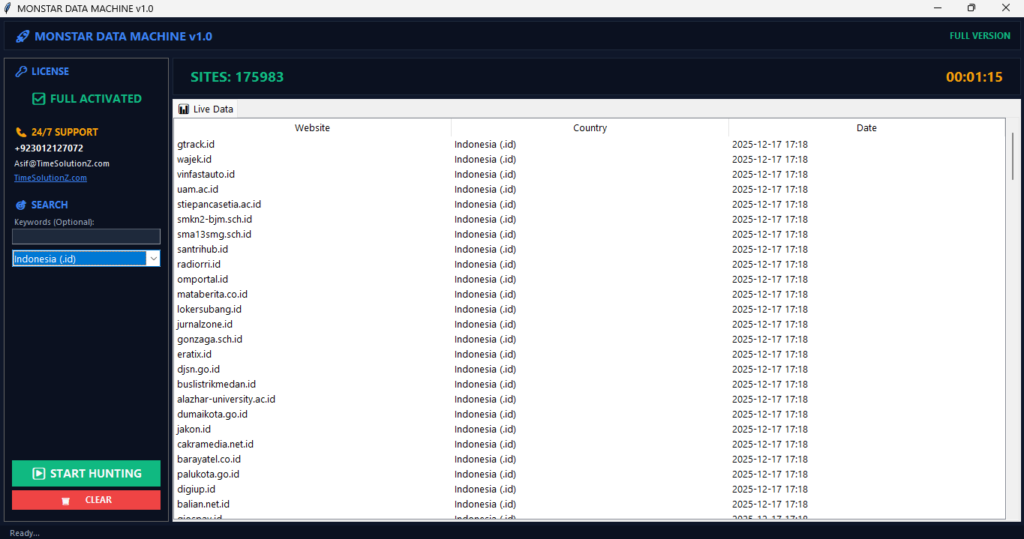
Learning how to mass scale your outreach without dropping your inbox delivery rate can feel impossible. Sending 1000 cold emails using dynamic data variables is the absolute best way to grow your client list fast this year.
By using smart spreadsheet tokens, you can change small parts of your message for every single reader automatically. This advanced method keeps your sender score high. It stops spam filters from blocking your domain name completely.
Instead of spending days typing lines by hand, you build a high-performing asset that injects targeted text into a basic template structure. Your messages look fully manual. More prospects will answer your notes quickly.
Why Personalization at Scale Matters in 2026
Modern outreach requires teams to adjust their strategy because basic templates no longer work for sending mass messages. When you look at your overall AI-Driven Sales & Next-Gen Outreach ROI, you see that custom notes perform much better. Changing your words for each buyer helps you stay out of the spam box and win buyers.
In the current landscape, the old way of blasting lists will hurt your domain name. Filters are simply too smart to let generic templates through to the inbox. To grow, you must blend smart automation with deep facts so every message brings real value to the reader.
Additionally, modern founders must figure out how to make their own B2B software show up in AI search answers because buyers are shifting from regular search links to conversational engines to discover tools.
The Shocking Reality of Email Personalization
Sending the same message to everyone will fail because modern email systems block basic blast messages. Buyers also block generic pitches. To fix this problem, you must make every single outreach note look unique. When you change text blocks using real buyer information, you keep your sender scores safe and win more clients easily.
Today, email networks use advanced filters to judge your messages. If your emails look identical to a template sent to thousands of other people, filters flag them as spam. Buyers also have high standards. They can spot a copy and paste message in one second. To win new clients without a massive budget, bootstrap companies must make every email look like it was written by hand for one specific person.
Beyond the First Name: Dynamic Variables vs. True Personalization
Basic tags like names are not enough to catch a busy reader today. True changes mean using deep facts like a new job, special tool usage, or company growth points. These custom facts prove you actually know their business needs. Your messages become highly useful instead of looking like a lazy, simple layout script.
Basic Variable: “Hi {First_Name}, I see you work at {Company_Name}.”
True Personalization: “Hi {First_Name}, congrats on your new role leading the engineering team at {Company_Name}. I noticed your team recently started using Python for your main data pipelines.”
When you use deep data points, the reader feels like you did real research. You are connecting their current business situation directly to your solution. This builds instant trust and dramatically increases your chance of getting a positive response.
Deliverability as a Prerequisite for Connection
You cannot get a single reply if your cold messages fall straight into the junk folder. Staying out of junk folders requires a perfect technical setup and a message that looks totally unique. Varying your text blocks keeps your accounts safe from big email filters, which helps you reach the main screen every time.
In 2026, industry reports show that sending identical copy to mass lists drops delivery rates below 40 percent. To ensure your emails arrive safely, you must set up your sender authenticated records properly. Beyond technical setups, the actual text inside your email changes how spam filters treat you. Sending the exact same text to 1000 people creates a fingerprint that filters easily catch. Changing sentences and phrases using custom data blocks breaks this pattern, proving to email providers that you are sending high quality, targeted correspondence.
Understanding Your Target Audience & Data Layer
Define Your ICP and Segment Your Audience
Your ideal profile tells you exactly what businesses will gain the most from using your new software. Segmenting means breaking your main group into smaller lists based on similar facts like industry types or size. This helps you build tight messages that speak directly to the real daily problems of each specific target list.
To find your perfect clients, look at your best current users. Identify their specific industry, how much revenue they make, and what tools they use. Once you have this profile, split your lead lists into narrow groups. For example, separate finance directors from technology directors. Each group has different daily problems, so your messages must address their specific pain points to be effective.
How to Gather and Utilize Customer Data for Personalization
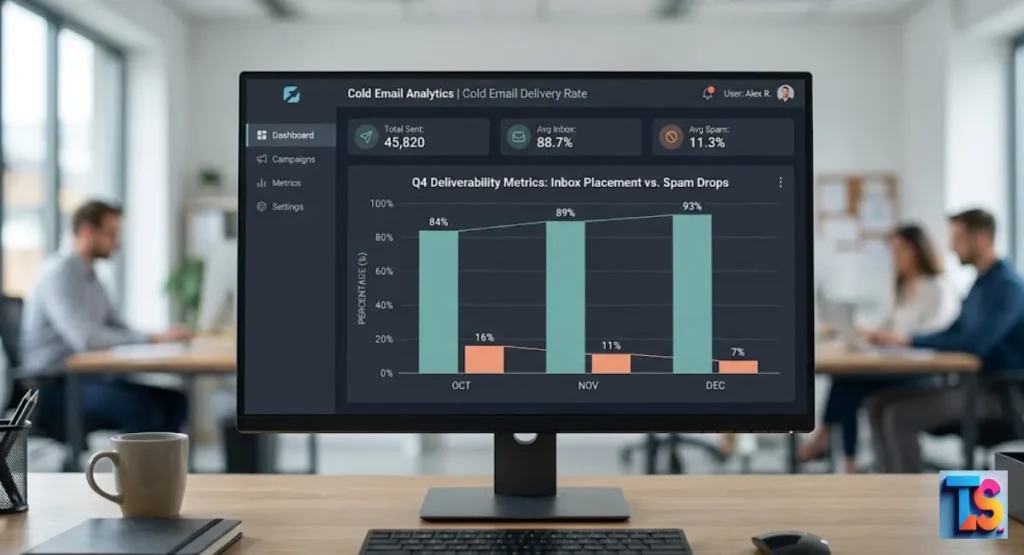
Finding right facts requires looking at public business sites, job boards, and news portals. You must grab these key points and place them safely into a single clean list or folder. This fresh information feeds your outreach tool, which lets your system fill in real details for each person on your sheet.
| Data Source | Type of Information Gathered | How to Use in Email |
| Business Directories | Employee count, location, industry | Segmenting your lists |
| Job Boards | Open roles, department growth | Timing your pitch to their hiring needs |
| Company Blogs | Recent product launches, news | Writing custom opening lines |
Once this data is inside your spreadsheet, ensure every column is perfectly formatted. Clean data prevents embarrassing mistakes when the automated system sends the messages.
Why Data Quality Matters: Avoiding the “Creepy Factor” and Fake Familiarity
Good data facts make your notes sound completely natural instead of robotic or way too nosey. If you talk about strange personal details or use broken data words, you will scare people away. The goal is to show real business worth, not to prove you watch their every move online.
Bad data causes massive problems. If your spreadsheet contains a company name with symbols like “Inc.” or “LLC,” your email will look automated. Saying “I saw you went to college twenty years ago” feels creepy. Instead, stick to professional facts that matter to their daily work. Focus on data that proves you can help them save time or make more money right now.
Types of Email Variables to Use at Scale
Standard Variables vs. Custom Variables
Standard tags use basic data like first names, company titles, and job roles that every tool can read. Custom choices go much deeper by bringing in fresh facts. These facts can be a quote from a recent article they wrote, a core problem their team has, or a tool they use every single day.
Standard variables are the foundation of your outreach, but they do not make you stand out anymore. Custom variables require more work to gather, but they carry the real weight of your message. By mixing both types, you create a balanced email that addresses the person correctly while delivering a highly specific message that matches their current business situation.
High-Impact Personalization Variables & Intent Signals
Top variables use real action signs to show that right now is the best time to talk. These signs can be things like a company winning new funds, posting new job ads, or buying a tool from a rival. Sharing these events proves your note is timely and shows a real reason for calling.
Key Intent Signals to Track:
- New executive hires in your target department
- Job openings that match the problem your software solves
- Growth in overall company employee headcount over the last quarter
When a company is growing or changing, they are actively looking for new solutions. By tracking these signals, you can reach out exactly when they have the budget and the need for your bootstrap SaaS product.
The Personalization Stack: Building Your Dataset
Building your data toolkit means picking the right programs to find, clean, and hold your list facts. This toolkit usually holds a buyer database tool, a list cleaning service, and a main tracking sheet. Working together, these single tools build a fast pipeline of correct information for your daily messaging needs.
Start with a trusted database to find companies that fit your ideal customer profile. Next, pass those contacts through a validation service to remove dead email addresses. Finally, organize everything into a clean spreadsheet with clear headers. This structure allows your email software to read the data perfectly, ensuring that 1000 personalized emails can go out without a single hitch.
The Best Cold Email Personalization Framework
The 3-Step Engine: Observation → Relevance → Conversation
The top framework splits your message into three clear steps, which are observation, relevance, and conversation. First, you share a clear fact you found about their company. Next, you connect that fact to a big issue your software fixes. Last, you ask a short, soft question to start a friendly business chat.
Observation: “I noticed your team is expanding its customer support department.”
Relevance: “Growing support teams often struggle with messy ticket queues, which slows down response times.”
Conversation: “Are you open to seeing how we keep queue times under two minutes?”
This structure works beautifully because it does not feel like an aggressive sales pitch. You are simply pointing out a real situation and offering a logical solution, which makes prospects much more willing to talk to you.
Advanced Personalization Techniques: Contextual & Insight-Based Layers
Smart personalization uses deep context layers to focus on the long term business goals of your client. Instead of just noting a new job ad, you talk about the real objective that new person must reach. This makes you look like a skilled guide who knows their space well, not a basic vendor.
To use insight based layers, you must understand the big changes hitting your target market. If a new regulation is coming, or if a certain technology is becoming obsolete, mention how it impacts their specific company. This shows you have deep industry knowledge and immediately separates your bootstrap SaaS startup from larger, lazy competitors who send generic messages.
Writing for the Individual, Not the Crowd (The “You” Orientation)
Focusing entirely on the reader means making the whole note about their professional world instead of your own. Delete long blocks that talk about who you are, how great your firm is, or your product tools. Instead, shape every single line around what the reader wins, saves, or fixes by talking with you.
Count how many times you use the words “I,” “we,” and “our” compared to “you” and “your.” If your email is full of “we do this” and “our software features that,” rewrite it completely. Change those sentences to say “you can save” or “your team will experience.” This simple shift keeps the reader engaged because the email remains entirely about them.
Template Architecture for Mass Scale (100–10,000 Prospects)
Use Highly Customizable Templates with Conditional Logic
Smart logic lets your message templates adjust completely based on the line facts inside your sheet. You can create rules that pop in one special sentence if a buyer uses a certain tool, or a different sentence if they do not. This lets you use one main frame for unique text.
{IF Tool = ‘Salesforce’}
“I see you run your sales through Salesforce, which means your data is already central.”
{ELSE}
“Since you do not use a heavy CRM yet, keeping track of leads can get messy fast.”
{ENDIF}
This method saves hours of manual work. Instead of writing five different templates for five different scenarios, you write one smart template. The system alters the copy automatically for every single lead on your list.
Crafting Personalized Email Components: Subject Lines & Intros
Your header line and first phrase decide if your note gets opened or dropped in the trash. Build these parts using short, sharp custom tokens that make people curious without looking like a trick. The first line must flow directly from the header line to pull the reader down into your message.
Keep your subject lines short, ideally under four words. Use low caps to make it look like an internal email from a colleague. Your opening line must immediately show value. Never waste the preview text with “Hi, my name is and I want to sell you something.” Jump straight into your first highly personalized observation to earn their attention.
Combining Standard and Custom Variables Carefully
Mixing your text tokens requires smart planning so the final note reads like a normal human talk. Use standard tags for quick hello lines and brand names, then place custom facts right in the middle lines to clear up the business point. Check all text to ensure spaces and points look perfect everywhere.
If your template reads: “How is business at {Company_Name} today?”, it can sound stiff if the company name is long. A better flow is: “I saw you recently joined {Company_Name} as their {Job_Title}.” This feels like a natural thought and moves the reader smoothly into the core problem you want to discuss.
How to Set Up and Automate Variables in Email Templates
Step 1: Signal Collection & Organizing Your Prospect Data
The work starts by moving raw brand data and buying signals into one clean dashboard. You must double check names, erase messy corporate endings, and make sure every single fact sits in the right column space. This clean start prevents bad errors where data mixes up during the automated delivery work.
- Clean company names: Remove suffixes. Delete words like Incorporated, LLC, or Corp from your list. Change “Acme Software Corp” to just “Acme Software” so it sounds natural in a sentence.
- Verify target titles: Check job roles. Ensure every person matches your ideal buyer persona. Fix capitalization errors so titles read as “Director of Sales” instead of “DIRECTOR OF SALES”.
- Separate custom lines: Create unique columns. Make a dedicated column in your sheet for unique opening lines or specific business observations. Ensure no cells in this column are left empty.
Step 2: Insight Generation (Letting AI Agents Handle the Research)
Using smart software tools lets you scan large lists for deep business facts without spending hours browsing the web. These programs look at open news sites, brand blogs, or social profiles to find useful hooks. This quick research gives you great points to use in your daily outreach notes.
Set up your research tools to look for specific keyword triggers that relate to your software. For example, if your SaaS helps with website speed, have the system check the actual load times of your prospect’s site. This automatically generates a custom data point for every lead, giving you a powerful, fact based insight to include in your message.
Step 3: Message Crafting & Adding Variables to Your Templates
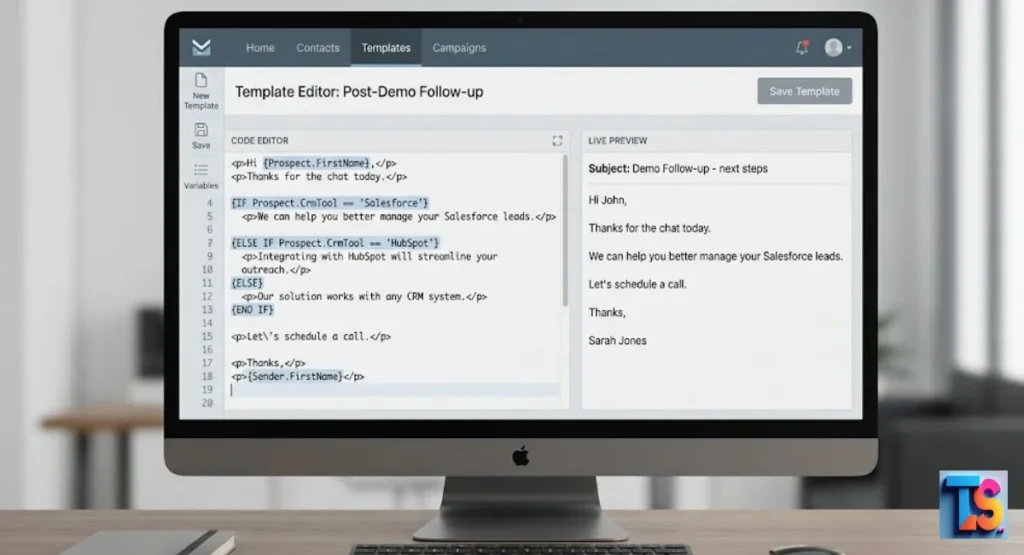
Moving your clean spreadsheet into your message sender tool allows you to link your custom columns to your text fields. You must type your copy carefully around each token so the words flow well. This step joins your human plans with deep customer tracking facts for better results.
When writing the text around the tokens, read the sentences out loud. Make sure the sentence still makes perfect sense whether the variable is short or long. Keep the paragraphs brief, never more than two or three sentences each. This makes the email easy to read on mobile phones, where many executives check their messages first.
Step 4: Testing, Previewing, and Optimizing Your Email Variables
Sending test notes to your own screen is the best way to catch mistakes before buyers see them. You must check how your dynamic blocks look across different phone and computer apps. This quick review step stops bad errors like empty spaces or broken code text from ruining your outreach.
Scroll through at least fifty previews inside your email software. Look for any weird line breaks or awkward phrasing caused by long data inputs. If a custom variable looks too wordy or doesn’t fit the tone of the sentence, edit the source data in your spreadsheet until the preview looks completely seamless.
Step 5: Launching Your Multi-Touch Outreach Sequence
Starting your multi-step messaging plan means setting up timed notes that follow up with your buyers automatically. You should space these letters out over a few weeks so you stay on their radar without being annoying. This plan helps boost your overall response rates over time.
Your first follow up can simply ask if they had a chance to read your previous note about their specific business challenge. The third email can offer a helpful resource, like a case study showing how a similar company solved that exact problem. This systematic approach maximizes your response rate while keeping your brand professional and respectful.
Advanced AI-Powered Personalization Workflows
Modern tech setups allow bootstrap startups to run smart workflows that rival giant marketing budgets. By combining automated research with fluid text tools, you can build a system that acts like a full sales team. This setup ensures that every outbound note feels deeply relevant to the person reading it.
By linking your tools together, data moves naturally from one stage to the next. You can automatically verify addresses, pull custom hooks, and schedule shipments based on user actions. This setup lets your business grow without requiring extra hands.
Cold Email Automation Spotlight: SendDmail for Freelancers
You need the right software to reach a massive list of buyers easily. SendDmail is a great choice for freelancers and marketing agencies who want to scale fast. This platform acts as an all-in-one outreach system built to stop your notes from dropping into junk folders. It runs mass outreach cleanly across many accounts. Do not worry. It manages everything safely.
Key Features of SendDmail
- Smart Unibox: A central inbox that pulls in replies from all your linked accounts. It saves hours of moving between screens. Just check one main place.
- Real Email Warmup: This feature sends automatic notes back and forth between accounts with random delays. It stops spam blocks. Filters think you are real.
- AI Copywriting & Suggestions: Built-in tools fix your sentences and wipe out bad text words. It catches errors instantly. No mistakes allowed.
- Google Sheets Integration: The software automatically moves fresh lead updates straight to tracking sheets like “Deal Done” or “Replied” for easy views.
- Advanced Campaigns: You can run automated follow-up steps, set up custom tracking domains, use variables, and mix sentence versions using spintext.
AI Personalization Engines Explained: Data, Intelligence, & Delivery
Modern smart systems use three distinct steps to handle outreach at scale, which include pulling data, reading insights, and running delivery tasks. The system imports raw name lists, figures out what those facts mean for the target business, and writes a useful text line. This helps small startups run hyper-targeted campaigns.
The intelligence layer reads your prospect’s public profile and determines their most likely business challenges. It then selects the best value proposition from your product toolkit to present to them. Finally, the delivery engine sends this tailored message from your inbox at natural intervals, perfectly mimicking manual human outreach.
Trigger-Based Outreach: Solving the “Why Now?” Question
Action-based messaging matches your emails with live corporate events happening at your target brands. Instead of guessing when to write a pitch, you let real changes tell you exactly when a buyer needs your help. This solves the hardest hurdle of cold outreach, proving why your letter matters at this exact moment.
[Trigger Event: Target company posts 5 new jobs for remote customer support]
↓
[Automated Action: Email sent to VP of Support discussing remote team management tools]
When you reach out right after a trigger event occurs, your reply rates skyrocket. The prospect is already spending time and money trying to solve that specific problem, making them highly receptive to a software solution that makes their job easier.
Real-World Examples: Generic vs. Signal-Personalized Emails
Comparing a basic email blast to a signal-based message shows why deep data mapping wins more business accounts. Simple notes talk only about product tools and sound incredibly dull to readers. Signal-based notes focus heavily on a real event inside the buyer firm, which makes the note hard to skip.
Here is a clear look at how the two approaches compare in practice:
The Generic Approach:
Hi John,
We have a great project management tool that helps teams stay organized. It includes chat features, task boards, and file sharing. Are you free for a call this Thursday to see a demo?
The Signal-Personalized Approach:
Hi John,
I noticed Acme Corp just opened three new engineering roles this week. Adding new developers usually makes keeping track of product deadlines across teams much trickier.
We built a system that syncs development tasks automatically, saving managers about five hours a week. Are you open to a brief look next Tuesday?
Setting Up AI Email Sequences Based on Lead Source
Different list streams need totally separate personalization hooks and message path lengths. A contact from a live trade show needs a different opening phrase than a lead pulled from an open job board. Sorting your email paths by list stream keeps your context completely true and relevant for everyone.
If you scrape leads from a community forum where people complain about a competitor, your sequence should focus heavily on that specific competitor’s shortcomings. If your leads come from a list of funded startups, focus your sequence on scaling operations quickly without losing efficiency. Matching your message to the exact source builds fast credibility.
Variable Best Practices and Common Mistakes to Avoid
Following simple rules for your dynamic text fields will help you get much better campaign results. You must balance your custom lines with a strong, clear product offer so you do not confuse the buyer. Avoiding common slip ups keeps your brand looking professional and highly trustworthy to new clients.
When you do things right, you avoid mistakes that get your domain blocked. You create a smooth pipeline that respects the reader’s time while showing real value. Keep your focus on helper facts rather than just filling space.
Best Practices for Email Variables That Boost Engagement
To get the best response, keep your data tokens short, professional, and directly linked to a business win. Always include a simple backup word for every token field in case your list sheet is missing a piece of data. This keeps your text from showing blank lines or raw code scripts.
| Variable Tag | Ideal Input Example | Fallback Value |
| {First_Name} | Sarah | there |
| {Company_Name} | Delta Tech | your team |
| {Competitor_Tool} | Hubspot | your current setup |
Always make sure your fallback values fit the grammar of your sentences perfectly. If a variable is missing, the email should still read like a natural, complete sentence written by a human.
Mistakes to Avoid: Over-Personalization, Long Intros, & Ignoring the Offer
Do not spend too much time talking about personal hobbies or writing huge intro blocks before you state your point. Busy leaders have zero time and delete long text fast. Also, never let deep personalization steps hide a weak, muddy, or confusing main product offer that lacks clear value.
Do not write a long paragraph praising their career before explaining why you are emailing them. Keep your personalized intro to a single, crisp sentence. Most importantly, ensure your product offer is incredibly easy to understand. Personalization gets the email opened, but a clear, valuable offer is what actually gets the click.
Maintaining the Human Element in Automated Systems (Plain Text vs. HTML)
Basic text messages always beat out complex, heavily styled design formats when sending cold sales notes. Simple text looks like a normal note you would send to a coworker, which builds fast trust. Flashy layouts look like corporate sales flyers, causing buyers to trash them on sight.
Avoid corporate logos, colored backgrounds, and tracking links that look messy. A clean, plain text message signals that you are an individual reaching out for a genuine business conversation. This simple look bypasses the mental filters buyers use to ignore ads and keeps their focus entirely on your personalized words.
Cold Email Platform & Tools Comparison for Variables
Finding the right software tool can make or break your custom messaging strategy. Different platforms provide distinct options for handling deep lists, data cleaning, and smart logic rules. You must pick an option that fits your current team size and handles all your text fields without any friction.
Investing time in choosing your system protects your delivery scores and saves money. Small startup teams cannot afford tools that break during a large campaign. Look for software paths that grow with your company over time.
Platform Feature Comparison for Small Teams, Growing Teams, and Enterprise
Different outreach systems offer diverse levels of support for dynamic fields and logical text variations. Small groups want basic setups with clean sheet upload options. Fast growing bootstrap teams need strong logic rules and automated data scrubbing features to save valuable founder hours every single day.
Data tracks from 2026 highlight that automated scrubbing cuts bounce rates down to less than 2 percent. Here is how the top tool categories stack up for managing complex variables:
| Feature Set | Small Team Tools | Growing Startup Tools | Enterprise Platforms |
| Custom Variables | Basic column mapping | Advanced dynamic fields | Deep CRM integration |
| Conditional Logic | Not available | Simple IF/THEN rules | Complex nested logic |
| Data Validation | Manual check needed | Built-in email cleaning | Automated compliance checking |
| Setup Complexity | Very low (minutes) | Moderate (few hours) | High (requires IT support) |
Choosing the Right Platform for Scaling Personalization Without Scaling Headcount
For a bootstrap firm, pick a software option that offers the best automation tools without needing a large spend or extra staff. Look for software paths that support deep logic formatting and change text lines naturally. This lets your small team stay fast while delivering thousands of custom notes easily.
Avoid systems that force you to build separate campaigns for every small variation. You want a tool where one single list can run multiple conditional paths smoothly. This allows a single founder or salesperson to manage massive, hyper-personalized outreach systems in just a couple of hours each week.
Measuring Personalization ROI: Essential Metrics & KPIs That Matter
Watch the right sales metrics to prove your custom text work is actually making real money. Tracking your numbers helps you see the real value of your AI-Driven Sales & Next-Gen Outreach ROI over time. Evaluating your manual vs automated data extraction ROI can also show how much time and resources your pipeline saves during the early lead generation phase. These deep tracking numbers tell you if your text tokens are connecting with real buyers out there.
In 2026, standard campaigns using these advanced data layers hit a 12 percent average return rate. Keep these goals in view:
- Open Rate: Indicates if your subject lines and sender names are working properly. Target greater than 60 percent.
- Positive Reply Rate: Proves your personalized observations and offers are hitting the mark. Target greater than 5 percent.
- Meeting Booking Rate: The ultimate metric showing how many leads turn into real sales pipeline. Target 1 to 2 percent of total contacted leads.
If your open rates are high but your reply rates are low, your personalization might feel fake or your offer isn’t clear. Use these metrics as a guide to constantly tweak your variables and improve your message relevance.
Conclusion: Using Variables for Better Email Outreach
Using custom fields in your outbound messages is the smartest way to scale your startup growth. By moving away from basic blast messages and focusing on real company facts, you build real trust with buyers. This structured process turns cold lists into warm sales leads for your software business.
Building this system requires some upfront work, but the payoff is massive. Your team saves hours of manual tracking while keeping a human touch in every letter. Start clean, keep your data tight, and watch your business expand.
Turning Best Practices into Your Competitive Advantage
Mastering custom text fields lets your bootstrap software firm win against giant companies with massive marketing funds. While big corporations send lazy, generic spam notes, your small squad can hit the main inbox with highly targeted messages. This turns top data quality into a core tool for winning new customers.
Commit to deep data research and clean list management. By setting up these automated personalization workflows correctly, you build a reliable machine that books sales meetings every single day, giving your startup a massive edge in the modern business landscape.
From Theory to Tangible Results: Your Action Plan
To start winning new users, pick your top target market and compile a tight sheet of one hundred perfect leads today. Clean all the brand names, find a real corporate action sign for each line, and build a simple layout using logic tags. Check the text inside your own app first.
Once those first hundred emails run smoothly, review your reply metrics and fix any confusing phrasing. Gradually scale your list to one thousand leads while keeping your data standards high. Taking systematic action transforms this advanced strategy into consistent revenue for your bootstrap software business.
Frequently Asked Questions
How can I make sure the data in my email variables is accurate to avoid mistakes in personalization?
To get perfect data accuracy, run your lists through an automated checker to clear out dead addresses. Scan your sheets by hand to drop tags like LLC or Inc from corporate names. Always set up easy backup text so your sentences make sense even if a main data cell is empty.
How can I effectively use standard and custom variables in cold email templates to boost engagement?
Mix basic tags like first names with deeper custom tokens like tool details or hiring news. Put your basic fields in the greeting lines and place custom facts inside the main paragraphs to share a real business note. Keep tokens short so they read naturally without ruining your casual human tone.
How do I maintain my brand voice when using automated tools to write sales emails?
Keep your true brand voice by creating strict rule notes that detail your style, sentence limits, and main values. Show your research tools clear examples of messages you wrote by hand. Tell the software to skip fancy corporate talk, hype lines, and giant text blocks to keep things simple.
Does personalization affect email deliverability and spam scores?
Yes, using deep custom variables helps your delivery scores and keeps you out of the spam filter. When you shift your words using dynamic data fields, email filters see unique messages instead of bulk patterns. This fresh text tells networks you are sending high-value notes instead of basic junk spam.
What reply rates can I expect from smart-automated sales emails at scale?
When you use clean data fields and true company action signs, you can realistically reach a total response rate between 10 and 15 percent. Even better, your positive response rates can pass 5 percent. This is a massive jump over old bulk spam notes that get under 1 percent.