Every single minute your website visitors spend waiting for a response is a direct hit to your bottom line. Traditional lead generation funnels are failing because buyers expect instant engagement, yet most businesses take hours, if not days, to reply to a simple contact form.
This delay creates a massive gap where hot prospects turn cold and look to competitors who answer faster. Implementing a dedicated client acquisition bot solves this exact bottleneck by engaging, qualifying, and scheduling prospects the moment they land on your site.
When mapping out the best strategies for client acquisition, top-performing organizations recognize that speed-to-lead is no longer an option—it is a core growth metric. Scaling your b2b client acquisition efforts requires moving away from delayed manual replies and transitioning to automated, real-time qualification. Similarly, when deploying high-intent client acquisition strategies for financial advisors, modern firms recognize that affluent prospects looking for wealth management expect immediate, secure, and highly personalized digital triage before committing to a consultation. Implementing a dedicated client acquisition bot solves this exact bottleneck by engaging, qualifying, and scheduling prospects the moment they land on your site.
A client acquisition bot is an automated conversational tool designed to instantly engage website visitors, qualify them as potential buyers, and drive them into the sales pipeline. It replaces static web forms with real-time conversations to capture leads 24 hours a day, 7 days a week. By automating the early stages of discovery and qualification, this technology ensures no viable sales opportunity is lost to slow response times.
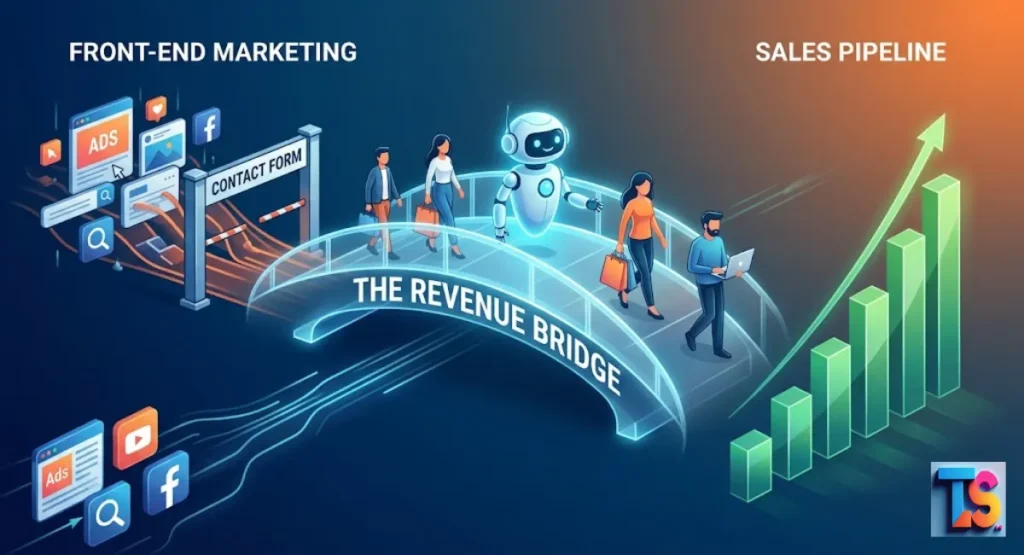
The Revenue Bridge: This automated approach connects your front-end marketing efforts directly to your sales pipeline by handling initial discovery instantly. Instead of letting marketing traffic pool in an unread inbox, the conversational interface filters out low-budget lookers and routes high-value buyers straight to your account executives.
This seamless handoff maximizes the return on your ad spend while keeping your sales team focused entirely on closing ready-to-buy deals.
Why Your Current Lead Generation Funnel Is Leaking Revenue
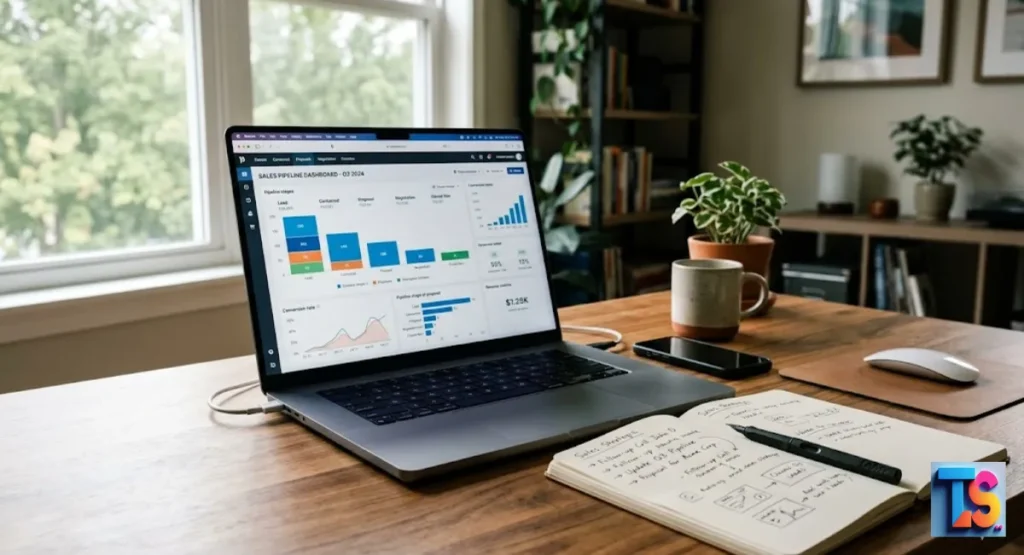
An inbound sales pipeline relies heavily on speed to convert interest into revenue. When a prospect fills out a traditional contact form, they enter a waiting period that significantly reduces their likelihood of conversion. Harvard Business Review studies show that businesses attempting to contact potential leads more than five minutes after submission experience a 400% drop in qualification rates.
This speed bottleneck is especially prominent in highly competitive business services. For example, recruitment firms dealing with complex staffing industry client acquisition challenges frequently watch premium corporate accounts slip away because an account executive took two hours to review an email inquiry.
When modern enterprise buyers are actively looking for talent solutions, they open multiple browser tabs; whoever initiates the conversation first secures the contract.
Most modern web funnels leak revenue due to structural friction:
- The Follow-Up Lag: Manual lead routing creates hours of dead time, giving prospects the freedom to research and contact alternative vendors.
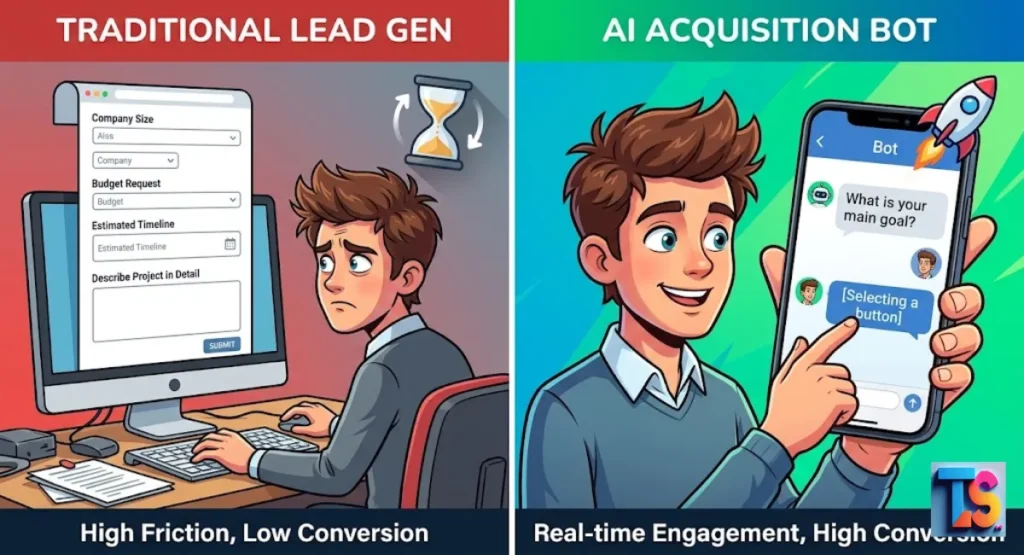
- Form Fatigue: Long forms with fields for company size, budget, and job titles discourage mobile traffic and lower overall submission rates.
- Unqualified Data Clutter: Sales development representatives waste valuable hours sorting through spam or low-budget submissions instead of speaking with high-intent buyers.
What Is a Client Acquisition Bot and How Does It Work?
A client acquisition bot is an interactive software layer embedded on your digital properties that initiates text-based conversations with visitors. Unlike standard support widgets built to deflect tickets, this variant uses pre-programmed logic and intent recognition to guide users through a structured discovery process. The primary objective is moving the visitor toward a specific conversion milestone, such as booking a live product demonstration.
When implemented correctly, this widget acts as the frontline digital engine for your entire client acquisition system. It ensures that your underlying data, marketing channels, and customer relationship software work in unison to transform completely anonymous web traffic into sales-qualified pipeline opportunities automatically.
To succeed with this framework, firms must fundamentally understand what is client acquisition in a digital-first environment. Rather than forcing prospects through delayed email chains, modern client acquisition relies on real-time engagement that captures high intent immediately. By introducing an interactive assistant, you redefine your discovery process entirely, turning an administrative form-filling chore into an active, helpful consultation.
The operational flow follows five clear, sequential steps:
- Contextual Greeting: The automated widget launches a welcoming message tailored to the specific page the visitor is viewing.
- Intent Recognition: The system parses the visitor’s typed response to understand their immediate needs.
- Dynamic Qualification: The interface asks targeted questions using a branching logic tree to gather vital profile data.
- Instant Scoring: The software evaluates the answers against your ideal customer criteria in real time.
- Pipeline Action: Qualified buyers receive a direct link to book a meeting, while unqualified users receive alternative resources.
When a visitor types a response, the system triggers internal dialogue management systems to determine the next best step. If a user states they want pricing, the system instantly matches that user’s intent to your qualification matrix. It extracts essential pieces of information, such as business size or immediate needs, without forcing the user to navigate away from the page.
How AI Bots Are Replacing Static Contact Forms
Static contact forms treat every website visitor the same way, regardless of their buying signals or business size. Conversational interfaces change this dynamic by altering the questions based on real-time input. This level of responsiveness makes the initial interaction feel like an active consultation rather than an administrative chore.
| Feature | Static Contact Forms | Client Acquisition Bots |
| Response Time | Book a meeting directly into calendars | Immediate, sub-second engagement |
| User Experience | Rigid fields that cause form friction | Interactive, natural dialogue flow |
| Lead Qualification | Manual sorting by sales development teams | Automated lead scoring via user input |
| Pipeline Action | Sends a notification email to a queue | Book a meeting directly into your calendar |
| Availability | Dependent on business hours | Continuous operation 24 hours a day |
Replacing forms with conversation increases total lead volume while gathering cleaner data. Prospects are more willing to share details like annual revenue or pain points when asked sequentially within a chat interface compared to seeing a massive block of empty form fields.
How To Qualify B2B Leads on Autopilot Using Conversational AI
B2B customer acquisition requires deep verification before a lead ever reaches an account executive. Automated systems use advanced dialogue flows to handle this heavy lifting on autopilot. By deploying targeted questions, the system evaluates the prospect against your ideal customer profile in real time.
This automated triage serves as a vital gatekeeper for your high-value sales talent. Instead of forcing a dedicated client acquisition manager to waste hours sorting through low-tier, unqualified submission data, the bot filters out small-scale inquiries and pre-books high-intent enterprise accounts directly onto their calendar. This ensures your key closing talent only spends time on deep-dive consultations with ready-to-buy clients.
To successfully qualify incoming accounts, the system follows a clear validation progression:
- Identify the Corporate Profile: The system uses entity extraction to pull details like the company name, website domain, and industry segment.
- Determine Project Scope: Automated prompts ask about the specific problems the user wants to solve right now.
- Verify Budget and Authority: The bot introduces soft qualification guardrails to confirm the prospect meets minimum investment thresholds.
- Execute the Next Step: Qualified users get immediate access to premium booking slots, while unqualified users are gently routed to helpful documentation or training videos.
Key Features Every High-Converting Acquisition Bot Needs
High-converting automated engagement systems rely on core conversational assets to successfully capture web traffic. These combined tools transform a basic chat interface into an always-on data collection engine.
1. Natural Language Processing (NLP)
Advanced natural language capabilities allow the system to look beyond exact keyword matches. It uses intent recognition and sentiment analysis to understand what the user wants, even if they use slang or unstructured sentences. This structural flexibility ensures the conversation moves forward naturally without breaking down over slight typos.
2. Deep CRM Integrations
Your automated assistant must connect directly to infrastructure platforms like HubSpot, Salesforce, or Pipedrive. When a user shares their contact information, the system immediately syncs the field values, chat transcripts, and custom property tags directly into the correct CRM profile. This eliminates manual data entry for your sales representatives.
3. Smart Fallback Logic
Conversations do not always go according to script. When a visitor asks an unexpected question that falls outside the standard logic tree, the system must deploy robust fallback logic. This mechanism offers a helpful, automated response trigger or uses a human-in-the-loop fallback to smoothly transfer the conversation to a live operator without dropping the connection.
4. Advanced Lead Scoring
The system should calculate a dynamic numeric value for each contact based on their chat responses. For instance, a lead identifying as an enterprise vice president receives a higher score than a solo freelancer. This score allows your pipeline tools to prioritize hot accounts for immediate personal follow-up.
The Best Client Acquisition Bot Software: A Head-to-Head Comparison
Selecting the right automated deployment tool depends entirely on your primary marketing channels. Top platforms specialize in enterprise website operations, social media automation, or interactive no-code visual building to accelerate your sales pipeline.
Drift: Best Enterprise Client Acquisition Bot for B2B SaaS
Drift focuses heavily on pipeline velocity for enterprise teams with active sales development representative coverage. The platform identifies target accounts the second they visit your site, alerts assigned account executives, and opens dedicated conversational tracks.
- Key Strength: Excellent account-based marketing orchestration and deep enterprise integrations.
- Best For: B2B organizations with deal sizes exceeding ten thousand dollars.
- Pricing Structure: Enterprise annual commitments, typically starting around twenty-five hundred dollars per month.
ManyChat: Best Meta AI Bot for Instagram & WhatsApp Automation
ManyChat dominates the social media landscape by turning comments, story replies, and direct messages into structured marketing funnels. It links comment triggers straight to automated direct message sequences.
- Key Strength: Instant comment-to-DM automated triggers on major social networks.
- Best For: E-commerce stores, creators, and localized service businesses using social funnels.
- Pricing Structure: Extremely accessible scaling model, starting at fourteen dollars per month for basic accounts.
Landbot: Best No-Code Conversational App Builder
Landbot uses a clean, visual flowchart framework that allows teams to build highly interactive web applications without writing code. It excels at turning complex qualification questionnaires into clean, full-screen interactive landing pages.
- Key Strength: Highly flexible visual builder that supports complex conditional logic logic blocks.
- Best For: Mid-market businesses looking to completely replace traditional landing page forms.
- Pricing Structure: Tiered plans ranging from basic entry levels up to advanced options at four hundred and fifty dollars per month.
Step-by-Step Guide: How to Build Your First Client Acquisition Bot Workflow
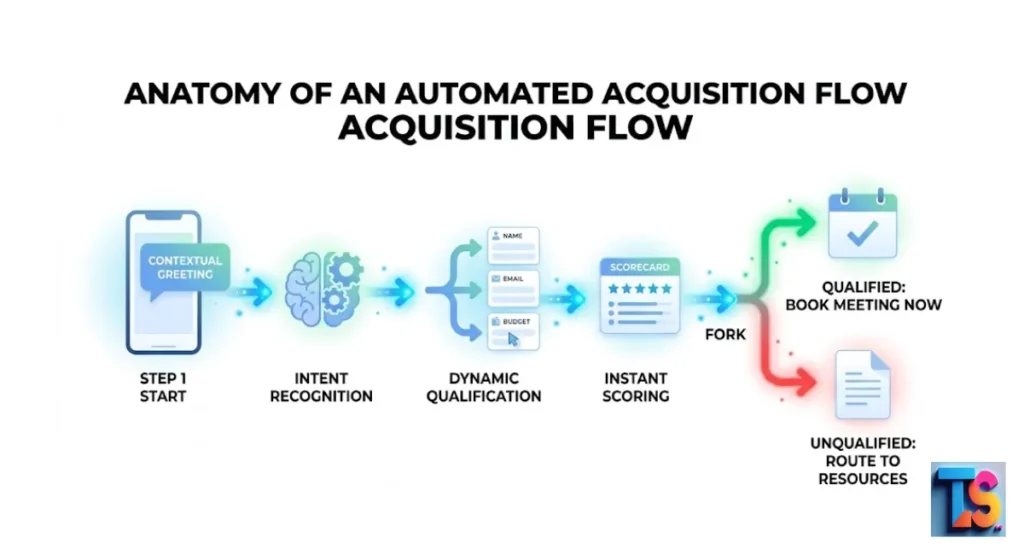
Building your first automated sales assistant requires a strategic approach to dialogue flow and integration. Follow this sequential operational blueprint to construct a highly effective qualification asset.
Step 1: Mapping Out Your Lead Qualification Logic Tree
Before opening your software platform, sketch your conversation pathways using a whiteboard tool. Define your target customer criteria and create binary yes-or-no branches. Ensure that every potential user response leads to a specific, logical next question or a distinct conversational resolution.
Step 2: Scripting Your Hook Message to Maximize Engagement
Your opening line must catch attention without sounding like intrusive spam. Avoid generic phrases like “How can I help you today?” Instead, focus on a specific, high-value problem statement. Use contextual hooks like: “Want to see how we helped a similar firm scale conversion rates by forty percent last quarter?”
Step 3: Setting Up Live Meeting Booking via Calendly API
Connect your conversation step directly to your team’s appointment scheduling application through an API call. When a user meets all your qualification rules, display a calendar widget natively inside the chat screen. This allows the prospect to secure a meeting slot immediately without waiting for a confirmation email.
Step 4: Connecting Your Bot Directly to HubSpot or Salesforce CRM
Configure your data mapping rules so that every extracted detail maps directly to an established CRM contact property. Test the data flow to verify that names, email addresses, and specific project budgets populate correctly into your deal pipelines. Turn on automated internal notifications to alert sales representatives the moment a new meeting is booked.
Why Most Client Acquisition Bots Fail (And How to Fix Them)
Many automated funnels fail to convert because businesses design them around operational convenience rather than user experience. In the grand scheme of Customer Acquisition vs Retention, remember that the user experience starts the second a prospect touches your brand. A frustrating bot setup creates immediate churn before the relationship even begins.
Avoid these three critical conversational mistakes to protect your user experience:
- The Infinite Loop Error: This happens when a system fails to understand an unscripted user question and loops the exact same fallback response repeatedly. Fix this by setting a strict two-strike rule: if the system fails to match intent twice, it must provide a clear option to leave a message or request human intervention.
- Aggressive Data Grabbing: Forcing users to provide an email address or phone number in the very first sentence destroys trust. Fix this by offering value first, such as answering a basic product question, before requesting personal contact information.
- Faking Human Identity: Giving an automated system a fake employee name and a stock photograph erodes business credibility immediately. Fix this by being completely transparent: label the assistant clearly as a digital concierge or sales assistant.
Action Plan Checklist:
- Define your three absolute mandatory lead qualification metrics before writing any conversation scripts.
- Draft a clear, hook-driven opening line focused entirely on visitor problems rather than product features.
- Select your deployment platform based on where your core audience interacts: web widgets, WhatsApp, or Instagram.
- Build out your core flowchart logic inside your chosen platform, keeping the entire path under six total questions.
- Set up native calendar scheduling integrations to let hot prospects book meetings inside the chat interface.
- Connect all web conversation data fields straight to your centralized sales pipeline software.
- Launch a comprehensive live validation test across mobile and desktop devices to verify logic pathways.
- Review your conversation drop-off metrics every seven days to optimize friction points and update copy.
FAQs
How much does it cost to implement a client acquisition bot?
Implementation pricing depends entirely on your corporate scale and structural complexity. Simple, flow-based software applications for small businesses start as low as fifteen to fifty dollars per month. Complete enterprise systems with advanced data orchestration and account-based marketing features require larger annual investments, often ranging from twelve thousand to thirty thousand dollars per year.
What is the difference between a customer support bot and an acquisition bot?
Customer support tools focus on ticket deflection, answering general questions from existing users, and reducing internal service costs. Acquisition systems are designed exclusively to drive revenue. They actively engage anonymous website traffic, qualify prospective accounts against ideal customer profiles, and accelerate pipeline velocity by booking live sales meetings.
Can I use an AI client acquisition bot on social media platforms?
Yes, modern automation applications integrate directly into the official development interfaces of major networks like Instagram, WhatsApp, and Facebook Messenger. This lets you link social comment campaigns directly to interactive direct message scripts, allowing your brand to qualify incoming social media leads completely on autopilot.
Will using an automated chatbot ruin my website’s user experience (UX)?
It will only hurt your user experience if it is poorly configured, overly intrusive, or difficult to close. If you design your conversational flows to be helpful, transparent, fast, and easy to navigate, visitors will appreciate the immediate answers. Always ensure that users can dismiss the widget with a single click.