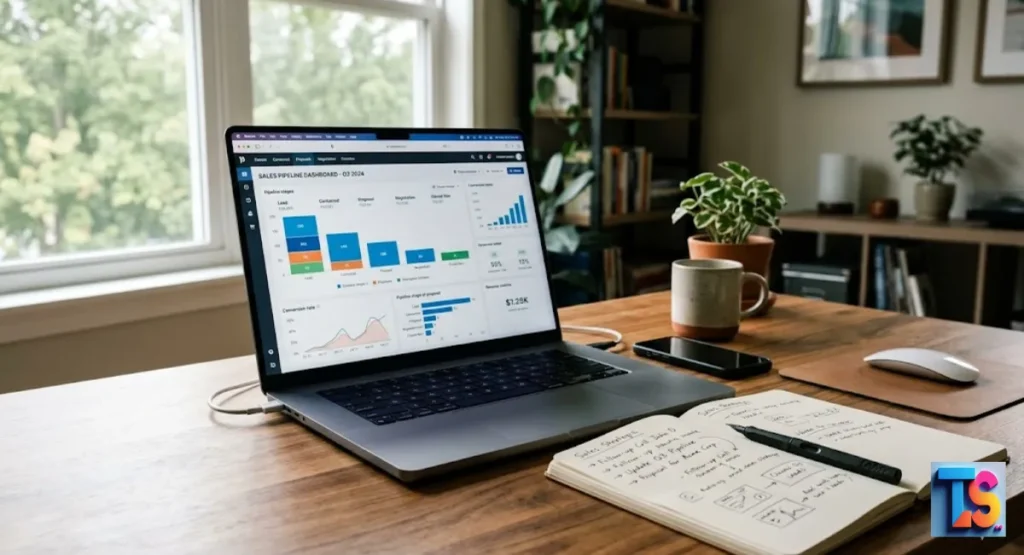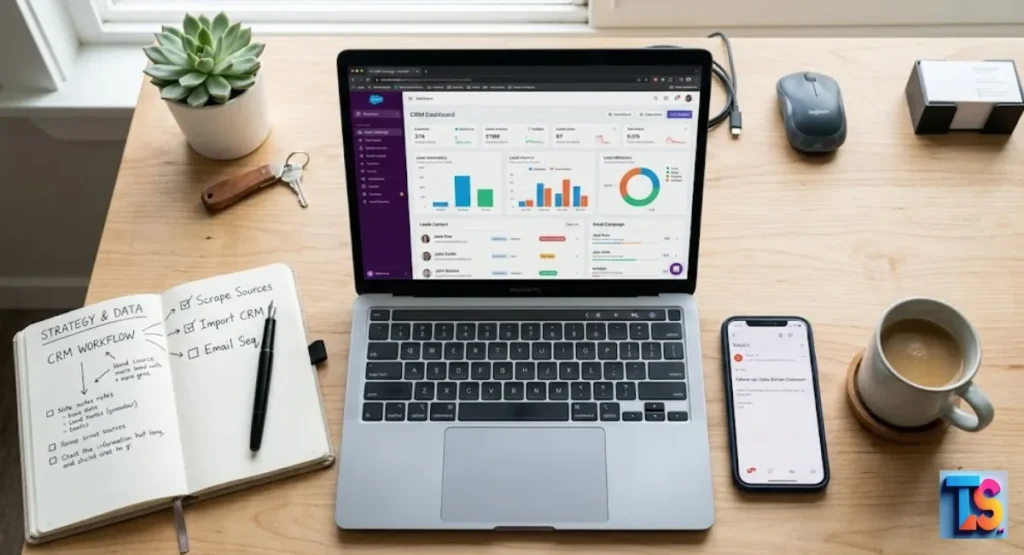
Do you waste hours manually moving new leads into your system? It is time to stop the copy-paste grind for good. When you auto-sync scraped data to email platforms, you build a smarter, faster bridge between your research and your outreach efforts.
This simple shift stops human error and keeps your sales pipeline flowing 24/7. You no longer need to hunt for contact details across different browser tabs. Instead, your marketing software gets fresh, verified info instantly.
This setup is the secret to winning more deals without extra work. By using no-code data pipelines for agencies, you turn boring data entry into a high-speed machine. Your team will finally have time for lead nurturing.
Why CRM Handoff Is Where Many Prospecting Workflows Break
Manual Prospecting Creates CRM Friction
Manual prospecting is just slow human work. It is tiring. Automated capture uses logic to work 24/7. Manual work is messy. Automated pipelines process thousands of records in a blink.
By integrating automated lead qualification at the capture stage, your CRM stays fresh, and your team focuses on conversations, not data entry.
Why Better Input Improves Everything Downstream
Good data input matters for Automate CRM entry from Google Sheets and fast sales growth. When you use auto-sync, you make sure every box has the right info for your system.
This makes your CRM triggers work well. Clean input stops bounces. It saves time.
Good data at the start gives better results. Your templates use the right names. Your lists stay right. Bad input leads to bounced emails.
Clean, simple input makes a smooth, fast sales process that lets your team focus on closing deals instead of fixing broken stuff. It results in stale data reaching your email platform too late
Manual Prospecting vs Automated CRM-Ready Capture
Manual prospecting is just slow human work. It is tiring. Automated capture uses logic to work 24/7. Manual work is messy. Automated pipelines process thousands of records in a blink. This keeps your CRM fresh. Your team focuses on talk, not data entry.
| Feature | Manual Prospecting | Automated Capture |
| Speed | Very slow | Near-instant |
| Accuracy | Prone to human error | High precision |
| Consistency | Inconsistent | Reliable 24/7 |
| Focus | Data entry focus | Conversation focus |
A Better Model: Capture First, Structure Early, Import Cleanly
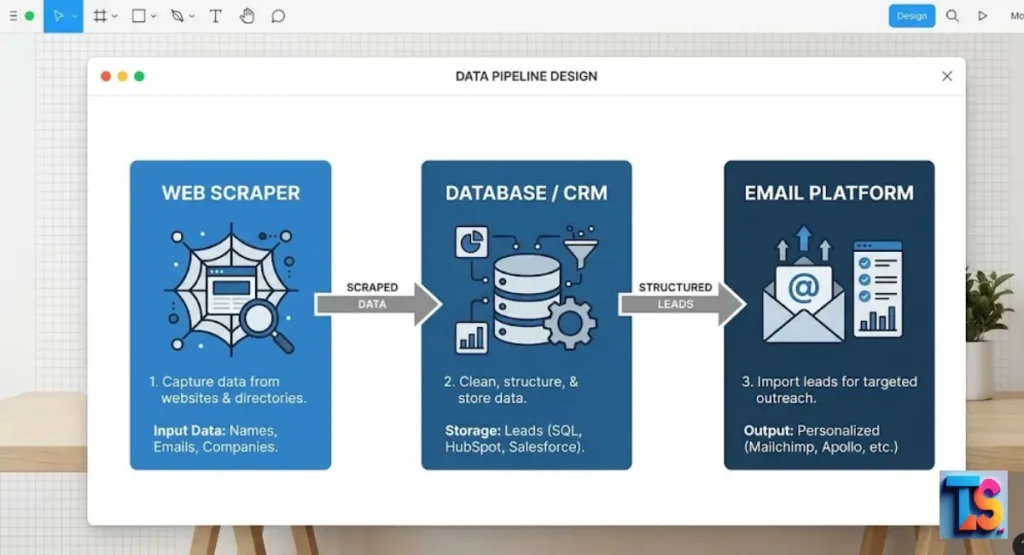
What One-Click Extraction Changes
One-click tools pull contact info from pages in a flash. Instead of highlighting and pasting, you use a browser plugin to grab data in a neat format.
This turns a long chore into a five-second win. It lets you build huge, good lead lists for your sales team fast.
These tools turn raw data into clean files. You kill the copy-paste cycle. You end the most boring part of lead gen. This speed lets you grow your outreach fast without hiring new staff. You pick the data, click, and export it into the format you want.
Why Local Control Matters in CRM Workflows
Local control keeps your data honest before it hits your CRM. When you scrub, check, and fix your files on your computer, you stop junk from filling your system.
This filtering keeps your CRM a trusted source. It stops it from becoming a graveyard of bad or dead contact info.
You own your lead list before it goes to the CRM. When you clean your data in a simple file first, you stop junk from getting in. This local step makes sure your CRM stays a source of truth instead of a mess of unverified contacts.
The Synergy Between Email Scraping and CRM
Benefits of email scraping and CRM integration
Connecting scraping tools to your CRM removes the wall between research and outreach. When they talk, you cut the time between finding a prospect and sending an email. This speed is key to beating rivals. You reach prospects when they are ready to answer.
By bridging the gap between your web browser and your database, you make a smooth flow of info. You stop exporting and importing files by hand.
Now, data flows like a stream into your sales tool. Through niche automation & workflow optimization, you make your whole workflow fast and ready for market shifts.
Centralized comms and less chaos
Centralization keeps all talk in one place. When every lead goes straight to your CRM, you stop hunting for info across browser tabs.
Your CRM becomes the one place for all prospect history. Your team can see who to call and when.
This single-view trick kills the “silo effect” where data gets trapped. When your team sees everything in one spot, they make better choices.
They stop doing double work or hitting the same lead twice. This is the secret to a sharp, pro sales team.
Stupid-fast productivity
Automation kills boring tasks by doing data moves for you. By not switching between your browser, spreadsheets, and CRM, you get back hours every week.
You focus your energy on writing better emails and closing deals. You stop doing data entry that a machine can do much better.
Imagine getting ten hours back every week. That time is now yours for strategy and training. Automation does not just save time; it changes how you work.
You become a pro strategist, not a data clerk.
Better lead tracking and accuracy
Automated systems do not make typos. This helps your data stay real. When you sync scraped data directly, you make sure every email goes to the right person.
This high accuracy helps your tracking software record opens and clicks right. It leads to better, smarter sales choices.
Real data is the base of any good sales report. When you automate, you stop the “garbage in, garbage out” problem. Your open rates and clicks become real.
You finally see what is happening in your sales pipeline.
Personalized, not spammy
Clean data lets you add real style to your outreach. Because your CRM has good details like job titles, you can use tags to fix your emails.
Personalization shows you did your homework. It makes your outreach feel helpful, not like a generic blast.
Personalization shows the prospect you know them. When you have the right facts, your emails sound human.
You stop using “Dear Sir” and start with “Hi [Name], I saw your work in [Industry].” This detail triggers responses in 2026.
Measurable ROI (no, really)
Automation makes it easy to track how many leads you source versus how many buy. This view helps you find the true value of your lead gen.
You stop guessing which sources work. Instead, you double down on the channels that bring in real money.
Data-driven choices happen only when you track the whole path. With automation, you see the full trip of every lead from a web page to a sale.
You find which scraping sources give you the best people. This lets you spend your time and budget where it works.
How to Move From Source Page to CRM-Ready Lead List
Step 1: Start With a Source That Matches a Real Campaign
Picking your target group is the first step toward effective Auto-sync scraped data to email platforms. If you sell services, search for businesses in one spot.
Targeting a clear, small group makes your outreach work better. It also helps you avoid wasting time on leads that do not fit your goals.
Map your dream customer. Do not scrape every directory you see. Be picky. Choose places where your buyers spend time. By focusing your scraping on relevant sites, you boost your wins and cut out the junk you have to filter later.
Step 2: Extract the Leads Into a Working List
Use a good scraper to get info fast. Only grab the fields you need, like email, site, and name. Keeping your list lean stops clutter.
Make sure your tool can export this to a format like CSV. This makes it easy to send data to your automation tool.
Keep your list tight. Collecting too much data just adds noise. Focus on the core bits: Name, Email, Job Title, and Company URL. Most tools let you save these settings as templates, so your future scraping is just as fast as the first try.
Step 3: Organize Before You Export
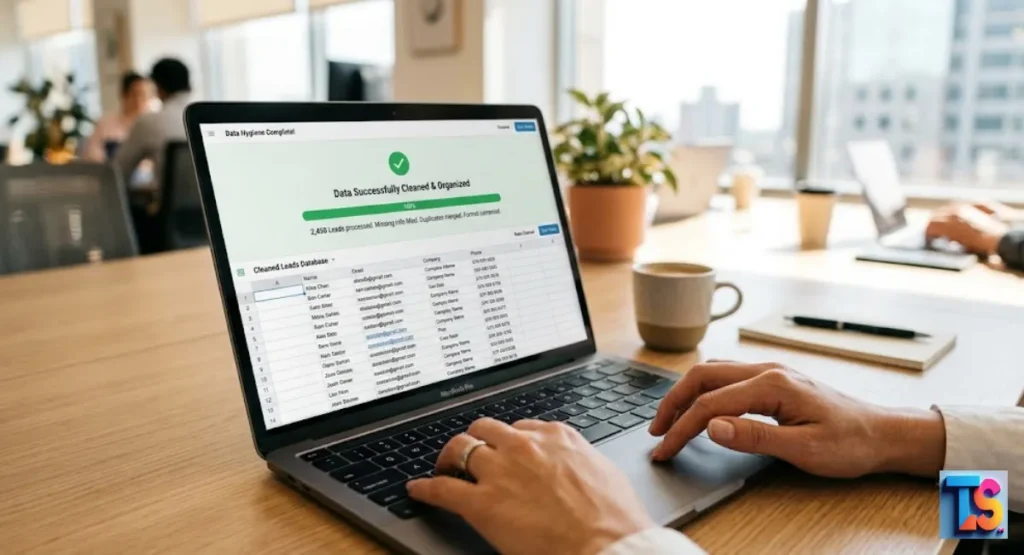
Clean your data before it hits the CRM to keep it high-quality. Delete double entries and fix capital letters. Check that email addresses look real.
A few minutes of cleaning in your file saves hours of fixing inside your CRM. This makes your database ready for instant outreach.
Data health is a daily habit, not a one-time thing. Before you hit “import,” scan for missing values. Use a sheet to standardize names and cities.
When your data arrives in the CRM ready to go, the system can trigger your workflows fast with no manual help.
Importing Scraped Leads Into Your CRM Without Creating Chaos
Use a Structured Export Format
Always use CSV or JSON for imports. These are world standards that almost all CRMs and email tools accept. A clean format makes sure every row is a lead and every column is a fact. This kills errors during import and keeps your lead data organized.
These formats are the “common language” of the web. Because they are plain text, they load fast and rarely break. If you are not sure what to pick, CSV is the safest bet for CRM imports. It works with everything from simple tools to big enterprise systems.
Map the Right Fields, Not Just the Obvious Ones
Mapping is telling your CRM which column matches which box. Past the name and email, map custom fields like company size or lead source.
This step lets you filter leads later for better campaigns. Proper mapping makes sure all your data is ready for future sales.
| CSV Header | CRM Field | Purpose |
| first_name | First Name | Personalization |
| email_address | Primary Contact | |
| company_url | Website | Research |
| industry_tag | Category | Segmentation |
Use the CRM to Route and Prioritize, Not Just Store
Set up auto-rules in your CRM to handle new leads now. For example, have the system give leads to specific team members. You can also add them to a sequence.
This makes sure no lead is lost. It keeps your sales pipeline moving without you moving every lead by hand.
Routing is the secret to fast response. When a lead lands in your CRM, the system should know who gets it. By setting this up once, you build a “self-driving” sales machine.
You focus on the hard tasks while the system handles the boring stuff for you.
Build a CRM Workflow That Stays Clean Over Time
Keep Source Selection Tied to Real Outcomes
Only use sources that help you hit your business goals. If you see that leads from a site are not buying, stop scraping it. Audit your sources often.
This makes sure you fill your pipeline with high-quality people that match your goals and improve your win rates.
Do not fear cutting a data source. If your bounce rate from a site is high, it means the data is not good. Your time is worth more than a bad lead.
Constantly fixing your sources is what sets the winners apart.
Review Data Hygiene Before It Becomes a Reporting Problem
Schedule a monthly check of your CRM to keep quality high. Look for bounce rates and bad emails. Removing bad leads keeps your sender reputation healthy.
It makes sure your sales stats stay real. A clean CRM is a huge asset, but a dirty one hurts your business.
Bounce rates are a red flag for email providers. If your bounce rate stays high, your domain will get blocked. Regular hygiene cleans your list and keeps your score high.
It is a simple job that pays for itself by making sure your emails land in the inbox.
Build the Pipeline Responsibly
Keep Data Handling Practical and Controlled
Always store data in a safe way. Use tools that follow privacy laws. Make sure your team knows how to handle contact info.
Smart data management builds trust with your leads. It also keeps your business safe from legal issues. This is a big part of a pro sales process.
Privacy is a brand value. When you handle data well, people notice. Use secure, locked tools and keep access limited to those who need it.
This pro approach protects your rep and keeps your work safe from unnecessary risk.
Respect the Source Website
Do not hit websites too hard with fast scraping requests. Use delays between requests to keep the server load light. This shows respect to the site owner.
It also keeps your scraping tools working without being blocked. Ethical scraping makes sure you keep getting the data you need.
Be a good web citizen. Treat sites like a library. You can browse and take notes, but do not clear the shelves.
Using sensible delays makes your activity look like a human. It keeps the web healthy and keeps your access open for a long time.
Use the Same Model for Recruiting When Relevant
The same automation rules work for hiring. If you scrape professional sites for job candidates, use the same CRM structure to track them.
Keeping your recruiting pipeline as organized as your sales pipeline ensures you do not miss top talent. It makes hiring faster, more steady, and very effective.
Top talent is like a big sale. If you do not follow up, someone else will. Use your CRM to track status, notes, and interviews.
By using your sales-proven Automate Local Lead Syncing to CRM flows for hiring, you build a better machine.
FAQs
Do I Need a Developer to Get Scraped Leads Into My CRM?
You don’t need a developer. No-code tools let you connect scrapers to CRMs in just a few clicks. These platforms act as a bridge, letting you build data flows in minutes without writing any code.
How Accurate Is CRM-Ready Scraped Data?
Accuracy depends on your source and tools, but most scrapers are very reliable. Always run your list through a verification service before importing. This simple step keeps your emails deliverable and protects your sender reputation.
What Happens if the Source Website Changes?
Websites update often, which might occasionally break a scraper. Most modern tools offer auto-fix features or alerts to notify you. You can usually fix this quickly by updating the settings in a visual editor.
Is This Mainly About Speed?
Speed is a nice win, but the real value is consistency. Automation ensures you never miss a lead and keeps your data perfectly formatted every time. It creates a reliable, repeatable process that removes human error.
Is email scraping legal?
Scraping public business contact info is generally legal if you follow privacy laws like GDPR. Always focus on professional data and provide an easy opt-out for your contacts. This keeps your outreach ethical and compliant.
Summary
You can stop manual work by connecting web scrapers directly to your CRM. Use no-code tools to build automated pipelines. This keeps your data clean, improves your outreach speed, and helps your team focus on closing sales.
Start by selecting good sources, scrubbing your data, and setting up automated rules today.