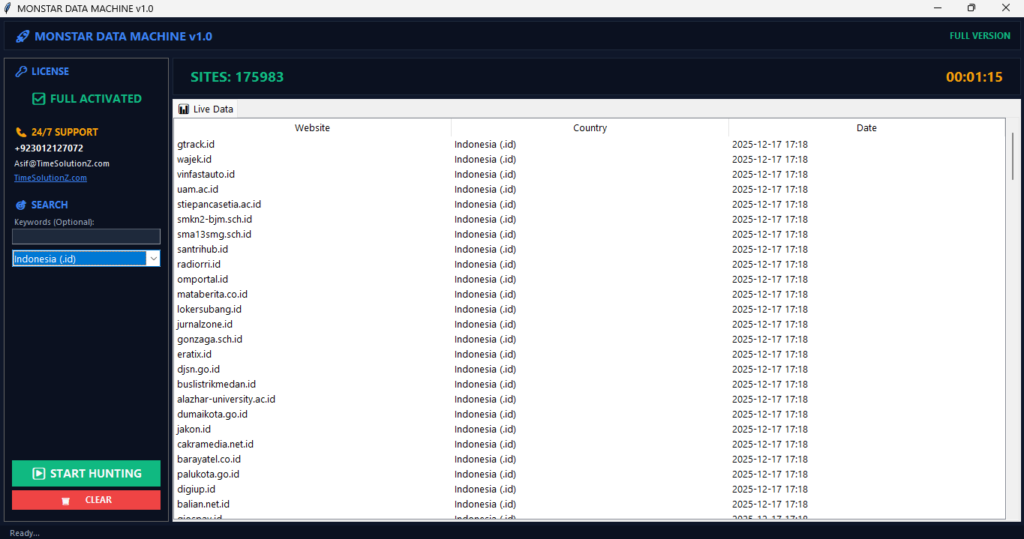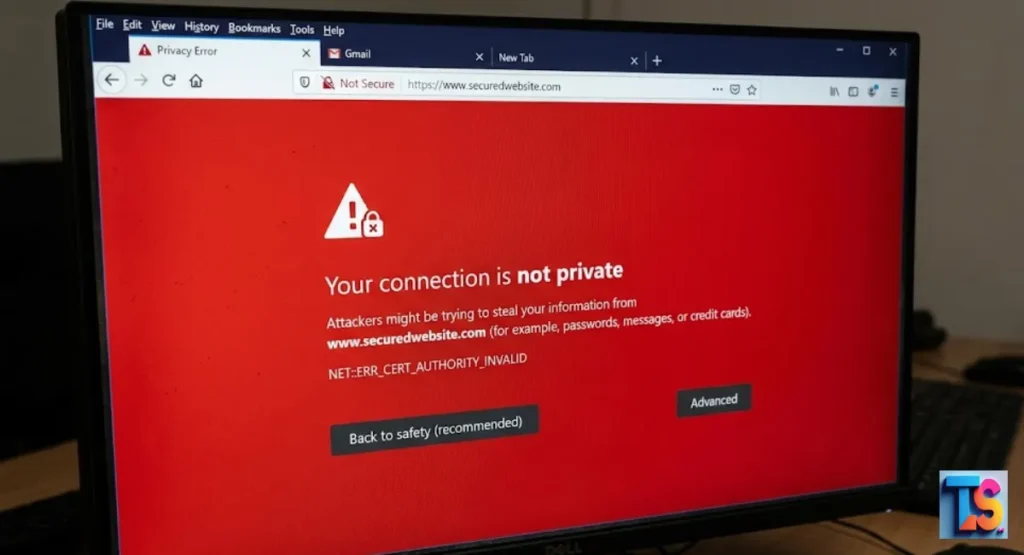
If you want to grow your digital agency, you need to Find businesses with expired SSL certificates. This simple step reveals companies that are actively losing customers due to scary browser security warnings.
When a site’s HTTPS encryption lapses, visitors see a “Not Secure” message, which hurts the brand’s online search visibility and leads to a massive traffic drop. By auditing these security compliance gaps, you can reach out with a helpful, urgent fix.
This strategy creates an immediate need for your web maintenance services, helping you secure high-value clients while building your reputation as a trusted, proactive expert who keeps the internet safe and professional.
What Is An SSL Certificate?
An SSL certificate is a digital ID that locks the link between a site and a person. It gives HTTPS safety to keep data private.
This keeps things like passwords or credit card numbers safe. Sites with good certificates show a tiny padlock in the top bar. This is a big sign of safety.
This seal is the base of trust for every online shop. It scrambles the data as it moves from your screen to the web server.
By checking the site’s name, it makes sure you are talking to a real, safe place. Having this lock is key for a pro look. It matters.
What Is An Expired SSL Certificate?
An expired SSL certificate is a security pass that has passed its end date. Once that day is gone, browsers do not trust the site anymore.
The link is no longer safe. Since the trust is gone, the site loses its shield and its good rank with browsers.
When a pass hits its end date, it stops making the wall of code that browsers need. Without this valid paper, the link between you and the server is not checked.
Browsers see this slip and stop people from going to the site. This often leads to big, scary warnings for all visitors. It stops sales.
Why Do SSL Certificates Expire?
SSL certificates have end dates to keep web safety high. These dates force bosses to check their name and fix their code often. If a certificate lasted forever, old, weak code would stay there.
Short terms mean every site on the web uses new, strong ways to keep users safe from hacks.
Set dates are a key part of web safety because they force site owners to refresh their identity. This rule makes everyone use the best, most safe ways.
It stops the use of old, bad security. Constant updates keep the whole web much safer and harder to hack. Safety matters.
What Happens When an SSL Certificate Expires?
When a pass dies, web browsers show a big, full-page warning to users. This note says the site is not private. Most people leave the site fast to stay safe.
This leads to a total loss of trust and a huge drop in site traffic. It kills the site’s power to get new fans.
The fast result of a dead certificate is a big, mean warning screen that blocks the site. This alert is made to scare people off to protect them.
For the owner, this means their site is gone from the reachable web. This leads to lost cash and real hurt to their brand name. Sites vanish.
The Business Impact of Expired SSL Certificates
Expired certificates cause fast harm to any online business. The moment a site trips a security warning, it stops being a pro site. Customers lose faith in the brand. The business stops getting new leads.
Smart check-ups help you support owners by keeping their site health good. By offering Hyper-Local Competitive Intelligence, you can provide even deeper insights into their market position. You save them.
When a site shows a warning, it acts like a giant stop sign. It keeps new customers away. This leads to a fast stop in sales, leads, and site chats.
Because the site looks broken, the brand fast loses its spot as a safe company in the eyes of their fans. Trust breaks.
Service Disruptions And SLA Violations
An expired SSL certificate often breaks the main tasks of a site for its users. This causes a full stop in work and breaks promises to customers.
When a firm cannot give the uptime they swore they would, they suffer money fines. They also risk losing their most key long-term client contracts.
- Contractual penalties: Owners may owe cash back to clients for missing uptime goals.
- Loss of reputation: Clients lose trust in the service when the site stays blocked.
- Operational downtime: The business cannot process orders, chats, or pay until they fix the certificate.
Regulatory non-Compliance and Legal Risks
Many jobs must follow strict data laws. These laws force companies to lock user data with active code. An expired certificate means the company is not locking data.
This puts them in trouble with laws. It can lead to big fines, checks, and legal pain from those who watch data safety.
- Government fines: Judges can give big fines for failing to keep basic safety like active code.
- Legal liability: Businesses take all the blame for any data theft that happens while their lock was expired.
- Forced audits: Law issues often start long, slow checks that take the business away from their growth plans.
Security Risks and Data Exposure
An expired certificate removes the lock that keeps private info safe. Hackers can easily grab data sent between users and the site.
This puts personal info, logins, and card details at risk. If a hack happens while the certificate is dead, the business takes the full hit for the data loss.
- Data interception: Without a lock, bad guys can easily read info like passwords or card numbers sent to the site.
- Phishing threats: Hackers may use the lack of safety to trick users with fake pages that look like the real business.
- Full liability: The company takes the weight of legal and money costs for any private info stolen during the gap.
Financial and Brand Consequences
The money cost of an expired certificate goes past lost sales. It includes the cost of emergency IT help and maybe court fees. Even worse is the long-term harm to the brand.
Customers remember warnings. When they see a site is not safe, they often switch to a rival and never come back. This hurts future growth.
- Emergency costs: Businesses must pay for fast, unplanned IT labor to fix the site.
- Lost future revenue: Customers who see warnings will likely never visit again, picking rivals they see as safer.
- Brand erosion: News of a fail spreads fast, leaving a bad mark that stays with the brand for a long time.
Damage to Your SEO Performance
Google does not show sites that give security warnings. If a site loses its SSL truth, Google will fast flag it as bad in search results. This causes a huge drop in ranks.
Even after the certificate is fixed, it takes time to win back the search trust and traffic the site had before.
- Ranking decline: Search engines fast push down sites that show warnings to protect users from harm.
- Traffic loss: As ranks fall, the number of people finding the business through search drops a lot.
- Recovery time: Getting search traffic back needs the business to prove its site is safe, which can take months.
How to Check SSL Certificate Expiration
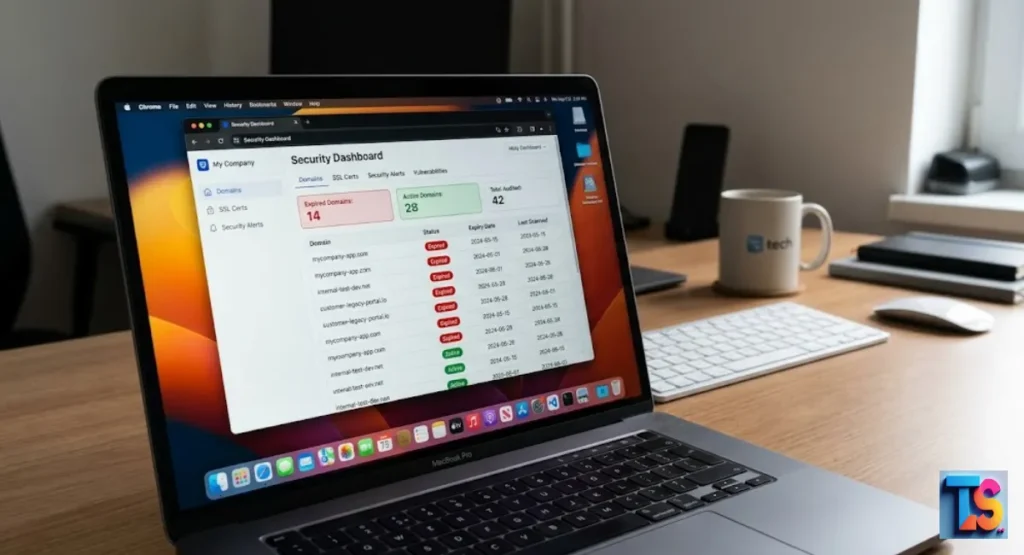
To check for dead certificates, you can use special tools or web tools. These tools look at the site’s server response to find the exact end date.
By running these checks against lists of local firms, you can fast find companies that need help. This is a top way for lead generation.
By using auto scanners, you can fast check the safety of many sites at once. These tools pull the exact end date right from the server.
This gives you facts for every lead. This way helps you find and call owners whose sites show bad security errors. It works.
How to Check Your SSL Certificate
You can check your own certificate by clicking the padlock icon in your web bar. Pick the “connection is secure” option and then click “certificate is valid.”
This window will show you the exact date the certificate dies. Check this often to make sure you never miss your own end date.
Checking your own certificate by hand is the best way to see that your safety works just as it should. By looking at the details, you can confirm the end date and make sure all safety settings are right.
Doing this quick check often is the easiest way to stop surprise site stops.
How to Check SSL Certificate Expiration Dates
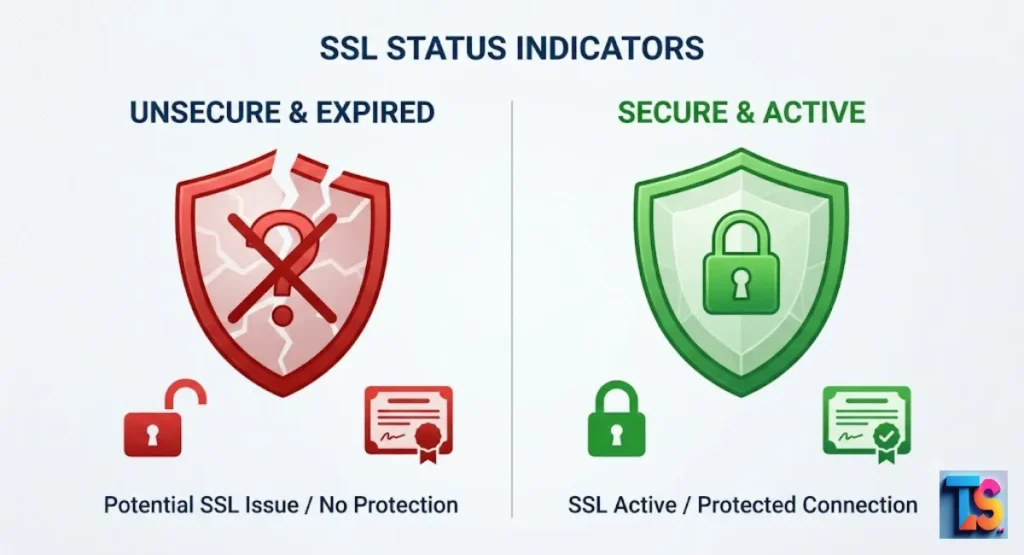
Auto scripts can check end dates for thousands of sites at once. These scripts ask the server for its info to pull the certificate data.
If the date is in the past, the site has a dead certificate. This way is the fastest way to find hundreds of leads in a single day.
Using scripts to run mass checks lets you scan whole lists of sites for safety without checking each one. The server headers hold the certificate details you need to verify if the site is still safe.
This fast method is key for growing your lead work and finding firms that need quick repairs. It is fast.
SSL Certificate Checker — Chain, Expiry & TLS Inspector
An SSL checker tool gives a deep scan of a site’s safety setup. It checks the whole link chain, the end date, and the TLS type.
Using a good checker makes sure you have right facts about a lead’s safety before you call to sell your help to fix their broken link.
A high-grade SSL checker digs deeper than just the date. It looks at the full safety setup of the server. By checking the whole chain and the current TLS type, you get a full view of the site’s health.
This info lets you give leads pro advice based on the true state of their system.
How to Use This SSL Checker
Put the web name of the business you want to check into the tool. Press search or check. The tool will scan the server and show a report. Look for the “valid until” part.
If this date is today or in the past, the business is a top pick for your outreach to fix their site.
When you use an SSL checker, the report shows you the key safety facts you need in just a few seconds. The most key number to find is the date when the certificate dies.
Once you find that a business has a dead certificate, you have a clear, real reason to call them and sell your help. Start now.
Checking Expired IAM Server Certificates in AWS
AWS manages certificates through its IAM service. If a business uses AWS, they might have certificates kept here that are dead.
You can see these by logging into the IAM console and checking the server certificate list. This is common for old web apps that have not been updated.
For businesses using AWS, certificates can often be found in the IAM console. These certificates need the same care as standard web ones.
By checking the server list in the console, you can spot old keys that are no longer active, helping clients fix their cloud safety and skip tech pains.
Identifying Expired SSL Certificates in AWS Certificate Manager (ACM)
AWS Certificate Manager is the new way to manage certificates on Amazon cloud. ACM usually handles updates on its own, but errors can still pop up.
Check the console under the certificate manager area to see the state of all certificates. Look for any listed as “expired” to find tech issues that need your pro eye.
The AWS Certificate Manager dashboard centralizes the cloud certificates for easier watching. Even with auto tools, certificates can sometimes show a dead state due to bad settings or service changes.
Scanning this part of the console helps you find and fix any issues fast, making sure the business cloud stays safe and works well.
How to Find All Expired SSL Certificates Across AWS Services
Use the AWS Command Line or the management console to list all certificates. Sort the output by end status. This gives a clear list of all items that need work.
Firms with big cloud setups often have many dead certificates hidden in subdomains that need fast fixing to keep their whole cloud safe.
Using the AWS command line or console, you can pull a full list of all certificates across your cloud. Sorting this list by the end date is the fastest way to find every certificate that is not valid.
This way is great for finding hidden safety risks in big setups, such as old test sites.
Check Expiry Date
Always check the exact end date given by the server. Some tools show alerts when a certificate is close to ending, like within 30 days. Targeting businesses with certificates ending soon is also a top way to get work.
They are often looking for help to manage their upcoming updates before a site crash happens.
Checking the exact end date is good, but tracking certificates that are near their end is a smart way to find new jobs. Businesses are much more willing to pay for help if they know a problem is coming.
Doing this work before the certificate dies creates a smart, value-driven bond with your leads. Stay ahead.
How to Monitor SSL Certificate Expiration Automatically
Auto monitoring tools warn you the moment a certificate shows signs of trouble. These tools scan sites on a set schedule and send notes to your email or dashboard.
This setup stops the need for manual checking and makes sure you are always in the know about the safety of your list.
Setting up an auto monitor makes sure you never miss an end date, no matter how many sites you handle. These tools do the work for you by scanning servers and sending fast alerts if they see a dying certificate.
This constant watch lets you solve safety problems before they hit your clients and cause any real pain. It is easy.
Why Manual SSL Certificate Tracking Is Risky
Manual tracking is prone to human error. People forget to check sheets or miss key email notes. If you are in charge of many sites, managing dates in a doc is not smart. One missed date leads to site downtime, which ruins the business name and costs cash.
This shows that auto systems are key for growth.
Trying to track end dates by hand in a doc is not fast as your business grows. It is easy to miss a date when relying on manual typing or email alerts that get buried.
Using tech to do this removes the risk of human error, keeping your clients safe from the bad downtime that happens when a certificate is missed. Stop manual work.
What Is SSL Certificate Expiration Monitoring?
SSL monitoring is the way of using software to always track the health of safety certificates. The software does auto checks at set times, like daily or hourly. It tracks end dates and reports the findings to a central dashboard.
This gives peace of mind and stops surprise safety warnings that push away your leads.
SSL monitoring uses dedicated software to keep a constant eye on the safety of your websites. By checking certificate health around the clock, it ensures that any shift in state is noted fast.
This constant watch gives a high level of safety trust, stopping the shocks that happen when a date passes by the busy staff. It helps a lot.
How Automatic SSL Certificate Monitoring Works
The monitoring tool sends a request to the site’s server. It grabs the certificate details and checks the end date against today’s date. If the certificate is near its end or already dead, the tool fires an alert.
You then get a note with the site name and the specific issue, letting you act fast.
Monitoring tools work by systematically asking the site server to give up its current safety certificate data. This auto process happens without any work on your part, comparing the found date to today’s date.
When the tool finds a match that shows a safety worry, it fast makes a report so you can jump in and solve the mess. It works well.
Methods to Monitor SSL Certificate Expiration Automatically
You can use cloud-based uptime monitors, script-based checkers, or pro SEO outreach tools. Cloud monitors are best for small lists of sites. For big-scale data gathering, custom scripts are more fast.
Using a Real-time competitor pricing tracker can also help you identify businesses that are actively adjusting their services, making them ideal targets for your outreach.
Pick a way that gives clear alerts and works well with the tools you already use for your daily flow.
- Cloud uptime monitors: These tools are simple to set up and great for watching a small count of key business sites.
- Custom scripts: Building your own code lets you scan thousands of domains fast, which is great for big-scale lead work.
- SEO outreach software: Many pro tools now have built-in safety audit features to help you find and call owners who have safety issues.
Key Features to Look for in SSL Monitoring Tools
Look for tools that offer daily scans, email alerts, and the power to export data to a sheet. The best tools also track the certificate issuer and the type of certificate used.
These features help you give better advice to leads when you call them about their dead safety, building your spot as a helpful partner.
- Daily scanning: Make sure your tool checks state at least once every 24 hours to stay ahead of any issues.
- Exportable data: Pick tools that let you download results into a sheet for easy management of your lead lists.
- Detailed reporting: Look for software that includes info about the certificate issuer and version, which helps you give better, more clear advice.
Best Practices for Managing SSL Certificate Expiration
The best way is to set up auto-renewing certificates when you can. If manual renewal is needed, use a calendar system with alerts set for 60, 30, and 7 days before the end.
Always keep a backup of your certificate files and make sure your contact info on the certificate is current to skip any gaps during renewal.
The best way to manage certificates is to automate the renewal process so that you never have to think about it. If you must manage them by hand, setting up a list of reminders will give you plenty of time to deal with the renewal.
Keeping your contact details up to date makes sure that you always get the renewal notes. It is smart.
How Automated SSL Monitoring Prevents Website Downtime
Auto monitoring finds a dying certificate weeks before it becomes a problem. This gives the business owner plenty of time to renew the certificate and update the server.
By catching the issue early, the site stays online and safe, and the business never suffers from the dreaded browser warning. This is key for stopping downtime.
By catching end dates early, auto tools give the time needed to update the certificate without ever hitting the live site. This pro approach makes sure that users never see a safety warning, keeping the site fully up and pro.
Avoiding downtime is the main goal of every site owner, and early finding is the best way to get it. Save the site.
Real-World Examples of SSL Expiry Incidents
Many famous websites have faced big shame due to dead SSL certificates. When a big firm lets a certificate die, it makes news headlines and causes big trouble.
These cases show that even the biggest groups are not safe from the risks of poor safety management and no auto alerts, showing why your help is so needed.
Even the largest tech firms have dealt with the fall of letting an SSL certificate die. These public events happen to groups with huge IT teams, which shows just how easy it is to miss these dates without the right auto systems.
These stories act as hard proof that monitoring is a must for every serious online business. No one is safe.
Some Big-Name SSL expiry incidents
In late years, big tech and retail firms have had outages because of dead certificates. These events meant thousands of users could not get to services for hours.
The hit was fast, touching everything from internal work to customer trust. Each event shows the key need for constant safety monitoring to keep reliable uptime for all users.
When big, well-known sites go dark because of a simple dead certificate, it proves that no one is safe from human slip-ups. These outages make fast, wide anger for thousands of customers who rely on the services.
This shows the need for every company to put auto safety monitoring first to avoid the same costly, image-breaking mistakes. Mistakes happen.
Expired SSL Certificate: Real-world example
A top case involved a big government site that went dark for a full day. Users saw a red screen warning that stopped them from using services. The event caused public anger and needed a fast fix by the IT team.
It acts as a hard sign of what happens when safety dates are ignored and monitoring is not there.
Public-facing government sites need 100% uptime for people to use key services. When a simple certificate death shuts down such a key platform, it becomes a big news story that shows a total fail in basic IT work.
This case shows that the fallout of missing a renewal date goes way past simple tech issues and can lead to real-world trouble. It is bad.
FAQs
Are expired SSL certificates a security risk?
Yes. A dead certificate means the lock is no longer active or trusted. Hackers can easily grab data sent to the site, putting user info and business data in danger. Keeping a valid certificate is the simplest way to protect your visitors and show them that your business is safe.
How can organizations prevent SSL certificate expiration issues?
Groups should use auto renewal services and dedicated monitoring tools. Setting many reminders well before the end date also helps make sure the team has enough time to finish the update. Using these systems cuts down on human error and makes sure that your site stays safe all year with no gaps.
How long are SSL certificates valid?
Most standard SSL certificates are good for one year. Some may be issued for shorter times to boost safety. Always check the end date on your own certificate to be sure. Staying ahead of these dates is a key part of your total maintenance plan to keep your site running smooth and safe.
What are common reasons for missed SSL certificate renewals?
Common reasons include no monitoring, staff leaving, changes in IT jobs, and failing to update contact info for renewal notes. Automating the task fixes these issues by making sure alerts hit the right person every time. By setting up a strong system, you remove the guess work and keep your site’s safety solid.
What attacks can exploit an expired SSL certificate?
The most common is a man-in-the-middle attack. Without active code, a hacker can sit between the user and the server to read or change the data. This puts your visitors at big risk and can lead to data theft. A valid certificate stops these attacks by keeping the link private.
What happens when an SSL certificate expires?
Browsers show a safety warning to users. This stops people from going to the site, leading to a loss of traffic, sales, and image for the business. By monitoring certificates, you can fix these issues before they become public problems, making sure that your visitors always see a safe, trusted site.
Why do SSL certificates expire?
End dates are a safety rule. They force teams to often update their keys and check that their site name is still true and real. This process makes sure that the web stays safe by removing old or weak safety ways and swapping them with new, strong ones that protect everyone online from various hacks.
The Bottom Line
That monitoring and finding expired SSL certificates is a key service. It protects businesses from fast traffic loss and safety threats while making a clear path for you to offer pro help.
By focusing on sites with these issues, you give a needed fix to a painful problem. Use auto tools to keep your list current and reach out to owners who need your skills to get their sites safe again. You can also Scrape service areas for local contractors, Track new local business registrations and Extract local citation gaps for SEO to further provide value to your clients.”