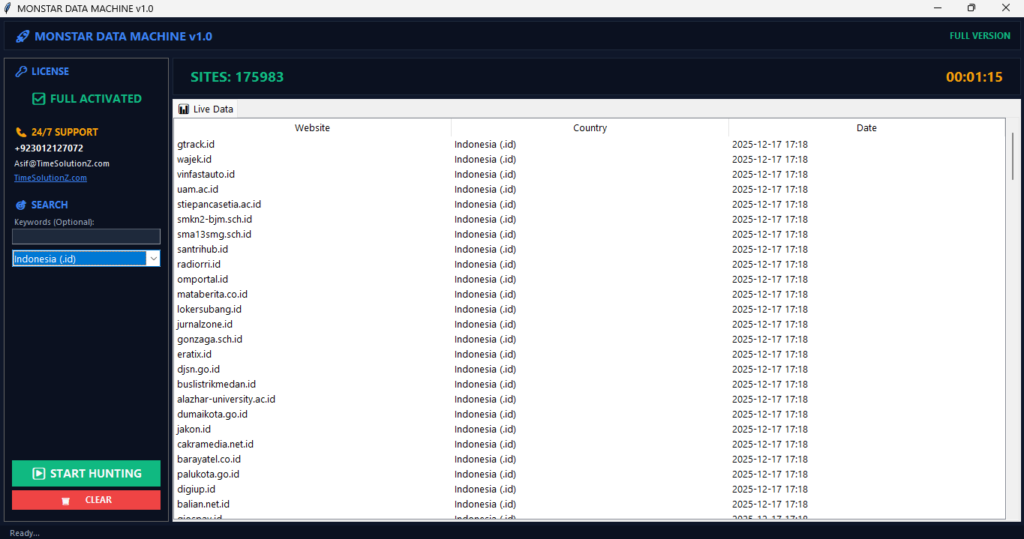
When you Automate Local Lead Syncing to CRM, your business transforms. Stop wasting precious time on manual data entry that slows down your sales team. Every new customer inquiry from Google Maps needs a fast, automatic home in your database.
Without this, you lose speed, miss opportunities, and let great leads slip away. By linking your systems today, you ensure that every potential buyer gets a quick, professional response from your staff.
This smart workflow optimization prevents errors and keeps your pipeline moving fast. Use lead management tools to handle the heavy lifting for you. Simply set up your data integration once and watch your sales automation boost your daily results.
The Mechanics of CRM Lead Distribution Systems
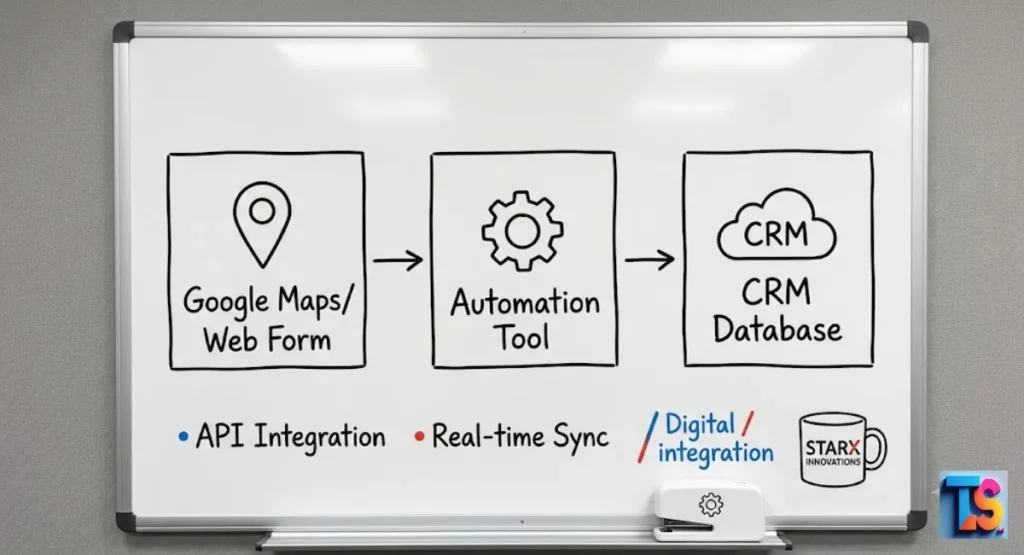
Think of a CRM lead distribution system as a traffic cop for your business. It uses smart rules to send every new lead to the right sales person immediately.
The system checks the lead details. It parses the data. Then it sorts it out. It gives the lead to a specific team member.
This process works in the background to keep your sales funnel moving. You don’t need a person to copy and paste names anymore. The software spots a new lead the second they click.
It sends them to your database. Also, many shops now use Automated lead qualification to rank leads. This helps your team pick the best deals.
The Operational Risks of Manual Lead Sorting
Manual sorting happens when your staff looks at emails or maps to find new leads. This is risky. You lose data. Responses get slow. Your team gets tired.
When people move data by hand, they make mistakes. They create copies. They lose phone numbers. Your sales growth stalls out.
Doing this by hand relies on memory. That is a bad plan. If a worker gets sick, the lead disappears. You have no way to track your work.
Without an automated way to move your leads, you have no idea how many you lose to simple human error every single week.
Delayed Routing Impacts NRR
Waiting too long to route a lead kills your Net Revenue Retention. Why? Because the customer goes to a fast rival. Every minute a lead sits, your speed drops.
People in 2026 want answers now. You need fast routing to build trust. It saves your bottom line.
This keeps your sales team focused on the customer. You cut the gap between the first click and your first call. This makes sure high-value leads stay interested.
They will like your brand more. This leads to better sales. It brings your company long-term stability and growth.
Broken Processes in Manual Lead Handling
Manual handling relies on human memory and constant monitoring, which creates critical gaps in your sales pipeline. If a staff member is out sick or misses an email, the lead effectively vanishes.
Without an automated system to manage these hand-offs, you cannot track how many leads you receive or how many you lose to errors.
Automation tools act like a home base for your data. You put everything in one spot. This gives you a clear view of your lead flow. You stop losing contacts.
Every person gets a fast reply. It does not matter who is working that day. You stay on top of it.
Why Manufacturers Must Bridge the Gap Between Leads and CRM
Manufacturers need to link lead sources straight to their CRM. This records every lead. You track them. You nurture them. No more manual entry.
By building this link, you get better data. Your sales team stops hunting for missing info on old forms. They just close deals.
This bridge links your factory team with your sales team. They see the same facts. You can predict sales better. You manage your stock better too.
When your CRM knows exactly how many local leads you have, you can plan your work hours. You keep customers very happy.
Speed-to-Lead Affects Conversion Opportunity
Data from 2026 says that calling a lead in five minutes boosts your odds by 400 percent. Server-side tracking makes sure you catch every signal from your site or map profiles.
This speed tells the buyer you are a pro. You are ready to work. They like that.
This gives your team the facts they need to talk well. The system notes where the lead came from. It logs their clicks. Your rep knows exactly what to say.
This makes the lead much more likely to buy. It works like a charm. You start the relationship off the right way.
Manual Lead Handling Creates Hidden Failure Points
Each time a person touches a lead, you risk a mistake. These small errors make it hard to see which ads work. Automated systems use set formats to keep your data neat.
This process also uses lead scoring thresholds to toss out junk leads. You keep your sales system clean.
These systems do the boring work for your staff. You avoid mistakes. By setting strict rules, you ensure every file looks the same. Your database stays searchable.
Managers can easily see which marketing sources bring in the money. You fix your plans to get better results.
Better Process Creates Better Reporting and Accountability
When you automate lead syncing, the system logs every single move. You see where leads come from. You see how your team does.
Managers can count how many leads each person gets. You see how long they take to call. This creates trust. You make smart choices based on real facts.
This detail helps leaders find logjams in your sales work. You track the time from lead arrival to first call. You help the staff who struggle.
This training builds a strong team. You create a culture of winning. Everyone performs better over time.
How to Get Leads From Different Sources Into Your CRM Automatically
You can use integration platforms like Zapier to link Google Maps, your site, and social media to your CRM. You set a trigger.
The system sends the info to your CRM for you. This ditches the manual work. You keep your data perfect. It is so easy.
Once you set these links, you can add more tools as you grow. You test new lead sources without fear. Your CRM stays the single source of truth.
You know where every customer interaction lives. It makes your life much easier. You focus on growing your company.
To simplify these connections, many firms Automate CRM Entry From Google Sheets to maintain a flexible, secondary database for their teams.
Form Integrations That Actually Reduce Data Entry
Modern web forms link to your CRM with API webhooks. When a user submits a form, the data flows to the right field. This process uses smart parsing to get it right.
Your sales team gets a clean profile. They don’t have to lift a finger. They start calling fast.
These links stop your team from copying data from sheets. You end typing errors. Your CRM stays fresh. Your reps spend their day building trust.
They close more deals. It makes your whole team work better. The output is always consistent and clear.
Ensuring Data Quality Through Field Mapping
Field mapping puts lead data in the right CRM box. For example, it moves a phone number to the phone field. This process cleans up the data.
All entries look the same. Proper mapping stops messy data. Your sales team calls the right numbers. It is smooth.
Matching your data fields helps you filter and report. With standard rules, your CRM groups leads by what they need. This lets you run targeted campaigns.
You talk to each customer about exactly what they want. You stay relevant. You grow your sales base quickly.
Server-Side Attribution and Activity-History Logging
Server-side tracking sends lead data straight from your server to your CRM. This way is stronger than browser tracking in 2026. Privacy settings don’t block it.
It logs the full history of the lead. You see where they found you. You know which ads bring the best customers.
This tech gives you the full story of the customer journey. You see the first touch and the final buy. This info helps your team give a great, personal touch.
Knowing the path helps you spend your budget on the best sources. You stop wasting money on bad ads.
Strategies for Efficient Lead Assignment

Automated lead assignment makes sure the right person takes the lead. You use rules based on availability or skills. This keeps your team balanced.
No lead gets ignored. Advanced systems use Automated lead qualification to match the lead to the rep. It finds the person most likely to close the deal.
| Strategy | Benefit |
| Round-Robin | Distributes workload equally among staff. |
| Geographic | Assigns leads based on the customer location. |
| Account Signals | Prioritizes leads with high buying intent. |
These strategies help your reps play to their strengths. By matching big leads to the best reps, you win more.
This way of managing leads makes the experience better for your staff and your buyers.
You create a smart, efficient office. Everyone knows their job. It works perfectly.
Strategy 1: Distributing Volume Evenly With Round-Robin Routing
Round-robin routing gives leads to your reps in a repeating order. This keeps the work load even. No one gets buried in work.
The system respects your lead scoring thresholds. It only gives qualified leads to the rotation. This keeps your sales work standards very high.
This method is fair to your staff. It keeps things moving at a steady clip. When every person gets a set number of leads, they plan their calls better.
This stops logjams. Your whole team stays active. They produce more results all week long.
Strategy 2: Routing Leads by Geographic Territory
If you cover many cities, use geographic routing to send leads to the closest office. Local experts close deals faster. They know the area. This makes the customer feel good.
You pair them with a person who knows the local market. It solves regional problems fast.
This local touch gives you a big edge. When customers work with someone who knows their town, they trust you more. They buy faster.
They stay happy longer. This keeps your service area growing. You show everyone you are the local pro.
Strategy 3: Prioritizing High-Value Accounts
Use automation to spot big accounts as they arrive. Send them to your senior sales team right away. This ensures your best people work on the biggest revenue deals.
The system scans for account signals. It triggers a fast path for your best prospects. They get the gold treatment.
This keeps your most vital chances on the right track. By using smart filters, you stop your senior reps from getting buried in small, low-value leads. You keep them focused.
They spend their time on big conversations. This drives the biggest growth for your company.
Strategy 4: Smart Lead Assignment Based on Account Signals
Advanced systems look at lead behavior. Did they visit your pricing page twice? That is a sign of interest. When the system sees this, it sends that lead to the front of the line.
Using these signals helps your team focus on the people who want to buy now. It works.
This turn of events creates smart business data. When your system spots a buyer, it acts. It prioritizes the lead automatically.
Your sales team captures the interest of the prospect when they need help the most. You never miss a chance. You close the sale while it is hot.
The Core Stages of Lead Management Automation
Automation follows a path from the first click to the final sale. You capture the data. You clean it. You assign it. By splitting this into stages, you see where to fix your work.
This creates a predictable system that scales as your business grows larger.
Picture a pipe where every turn adds value to the raw data. From the first touch to the CRM record, the automation acts as a filter. It removes the junk. It keeps the good stuff.
This setup guarantees that your team has all the tools they need to succeed.
Lead Capture, Validation, and Normalization
First, the system catches the lead data. It checks to make sure it is not spam. Then, it does data normalization. This means it puts phone numbers and addresses into a set format.
This creates a clean database. Your CRM can sort it, search it, and use it for years.
This stage also removes duplicate files to keep your data slim. By checking every lead, you avoid messy history or two reps calling the same person.
This clean data is the most important piece for any sales or marketing plan. You build on a solid rock.
Routing, Assignment, and Enrichment
Once clean, the lead moves to the routing stage. The system assigns the lead based on your rules. Then it does lead enrichment.
It adds details like company size or industry using public data. This gives your sales team the context they need for a great talk with the prospect.
Enrichment gives your team a head start. Instead of asking easy questions, your reps dive into how your product solves the lead’s problems.
This pro approach saves time. You show your company is a helpful partner from the very first hello. It feels good.
Duplicate Prevention and Exception Handling
Automation tools check for existing contacts to stop copies. If a lead is already there, the system updates the record. It doesn’t make a new one.
Exception handling catches bugs, like a missing email. It tells a manager. This keeps your CRM data accurate for the whole team.
Your system must stay flexible to handle these gaps. When a bug happens, the alert lets your team fix it fast. This stops technical hitches from becoming big walls in your workflow.
You keep your sales process moving fast and smooth. You don’t let small things stop you.
Integrating Advanced Lead Generation Tools
In 2026, businesses use advanced tools to find leads. You use AI scrapers and real-time map monitors. You track interest on many sites.
Connecting these to your CRM creates one view of your market. But watch your API rate limits. Don’t overload your connection. Keep it steady.
These tools give you a huge advantage by spotting buyers before they even know they need you. By linking these to your CRM, you turn casual clicks into real sales.
This creates a powerful growth engine. It feeds your pipeline with fresh, qualified leads every single day. You win big. For scaling operations, agencies often rely on No-Code Data Pipelines for Agencies to move information seamlessly between complex platforms.
Scaling Outreach With AI-Driven Automation
AI-driven lead qualification can draft follow-up messages based on how the customer found you. When a lead enters your CRM, the system writes a message. It sounds human.
It sounds helpful. This lets your team reach hundreds of leads a day while keeping the tone personal and pro.
This keeps your outreach steady even when you are busy. As your business grows, this automation ensures no chance gets ignored.
Your team keeps a high-touch, helpful vibe. You stay on the mind of potential customers at all times. It is a big win.
Best-Fit Use Cases for Team Sizes
Small teams love simple automation to save time on basics. Larger teams need complex routing to handle high volume and regions.
No matter the size, automation creates a clear standard for how you treat customers. This consistency is key for long-term wins and a clean, organized sales pipeline.
You start small. You add moves as you grow. A small shop might start with email alerts. A big firm might need fancy territory routing.
The beauty of automation is that it grows with your goals. You change it when you need to. It never stops helping.
How Agentic Automation Differs From Bidirectional API Sync
Bidirectional sync keeps two systems in harmony. If you change a phone number in the CRM, it changes in the lead tool. Agentic automation goes deeper.
It uses logic to make choices. It decides if a lead is ready to buy or needs more info before a person calls them.
Bidirectional sync is great for data. But agentic systems bring a brain to the table. By acting like a digital assistant that reads the intent of a lead, these agents ensure your sales reps spend time only on the best deals.
You save your energy. You focus on what matters.
Common Pitfalls to Avoid in Lead Sync Automation
Many businesses fail because they try to do it all at once. Start by automating one channel, like Google Maps leads. Check that the data flows right before you add more.
Avoid rules that are too complex. They become a pain to manage as your needs change. Keep it simple.
Focus on building tough, simple workflows. They are easy to fix. Check your settings often to be sure they still work.
By keeping your automation setup organized and easy to read, you ensure your processes stay fast and reliable even as your business reaches new heights. You stay on track.
Fixing Broken Lead Routing Logic and Data Integrity
If leads land in the wrong place, check your field mapping first. Small errors often send data into the wrong folders. Check your CRM for missing info often.
Test your workflow every few months. Always keep an eye on your API rate limits. Stay aware.
You should make a plan to tell your tech team about issues. When everyone knows how to handle a broken sync, you fix problems before they hurt your sales.
This habit ensures your data remains a tool you can trust every single day. You never have to guess.
Automating Lead Flow During Time Off and Rep Capacity
Set up out-of-office rules in your CRM to manage your reps during holidays. If a rep is away, the system skips them. It uses the round-robin rotation.
This stops leads from sitting in a silent inbox. Automation ensures your business stays open and ready at all times.
You link your CRM to your calendar. When a rep marks time off, the automation updates the routing. This level of smart management ensures your customers always get a fast reply.
Even when key people are on vacation, your business does not miss a beat. You keep the flow going.
Overcoming Integration Roadblocks
If two apps don’t connect, use a middle-ware tool to bridge the gap. Most tools offer simple templates to link apps without any code.
If a specific tool is missing, look for webhook support. This lets almost any two systems talk to each other through secure, real-time data transfers. It is simple.
Look for tools that offer good guides and support to help you through tricky links. Many platforms also have active user groups where you can find fixes for common bugs.
With a little digging, you can almost always find a way to link your systems and build a perfect, fully automated sales pipeline.
Advanced Strategies
To stay ahead, you should implement Niche Automation & Workflow Optimization to fine-tune your sales process, and you can Auto-sync Scraped Data to Email Platforms, allowing you to nurture cold leads with personalized content automatically.
FAQs
How does real-time lead capture improve CRM data quality?
Real-time capture stops manual typing errors, ensuring your database stays clean and free of typos. Because the system moves data instantly, your team always has the most current info to close sales.
What is the best lead routing strategy?
Start with a round-robin system to keep work fair for smaller teams. As you grow, switch to geographic or signal-based routing to match the right lead to the perfect expert.
Can I automate lead syncing for multiple local locations?
Yes, you simply use tags to sort leads by their city or store location. This ensures every inquiry reaches the right local office for a fast, personalized customer experience.
How fast should you respond to a new lead?
Aim for a response within five minutes to win the customer’s trust. Automation helps you reach this speed consistently, keeping you far ahead of slower competitors in 2026.